 Reyuko
Is There a Free Accounting App for PC?
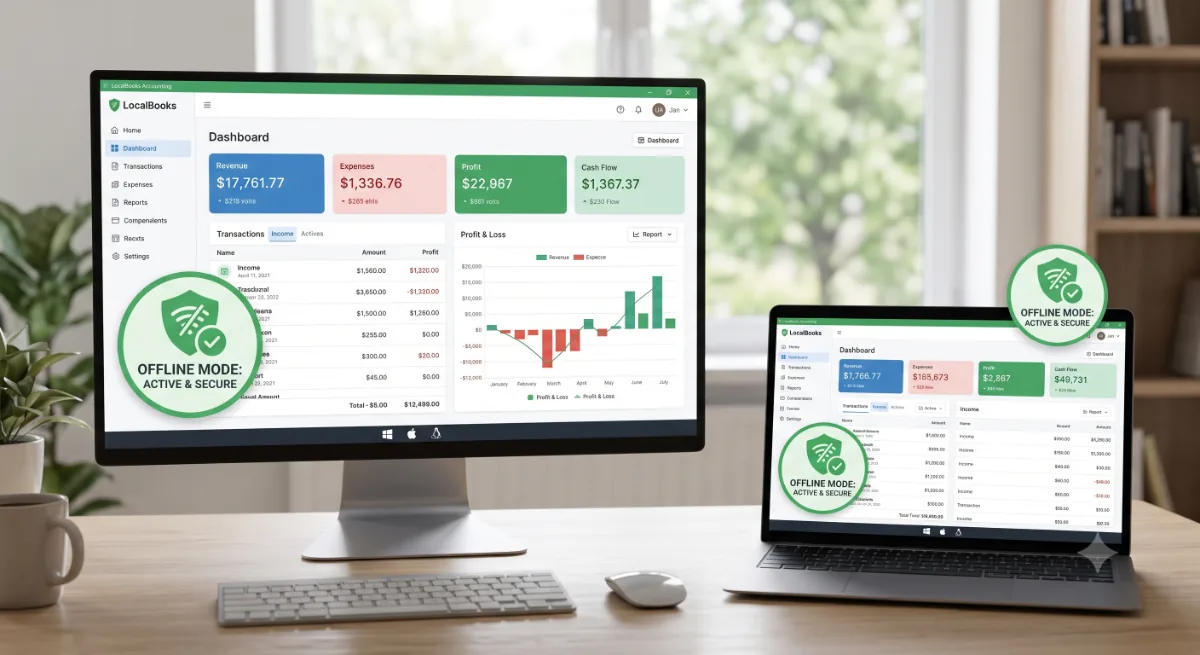
Short answer: yes. There are free accounting apps you can install and run directly on a PC — Windows, macOS, or Linux — without paying and, in the best cases, without even needing an internet connection. The catch is that most "top free accounting software" lists are full of browser-only tools that stop working the moment your Wi-Fi does. If you specifically want a real app on your desktop, here's what to know.
Desktop app vs. browser tool — why it matters
Many popular free options (Wave, Zoho Books free tier, and similar) are web apps: your data lives on their servers, and you work inside a browser tab. That's convenient until you're offline, on a slow connection, or you'd simply rather your financial data sat on your own machine. A true PC accounting app installs locally, opens instantly, and keeps your books on your device.
Free accounting apps for PC that install locally
Reyuko
Reyuko is a free desktop app for Windows, macOS, and Linux. It installs on your PC, stores your books in a local database, and runs fully offline — cloud backup and shared online books are optional add-ons, not requirements. The free tier includes the whole suite: double-entry accounting, invoicing, inventory, purchasing, sales, and POS. It's the closest thing to a free QuickBooks alternative that still lives on your desktop.
GnuCash
GnuCash is a free, open-source desktop accounting app that's been around for years. It's genuinely offline and free, with a real double-entry engine — but the interface is dated and it leans toward users who already understand bookkeeping.
Manager (desktop edition)
Manager offers a free desktop edition for all three operating systems, with cloud hosting sold separately. A solid option if you're comfortable managing your own data file.
What to look for in a PC accounting app
- Runs offline. No internet required to open your books or record a transaction.
- Local data ownership. Your database sits on your device, not just on a vendor's server.
- Real reports. Balance sheet and profit & loss generated from a true ledger.
- Optional cloud, not forced cloud. Backup should be a choice, not a lock-in.
How to get started
Download the app for your operating system, install it like any other program, and start entering your business — most PC accounting apps include sample data and tutorials so you're not staring at a blank ledger. With Reyuko you can pick your country and an industry template on first launch, so the chart of accounts and tax settings are already sensible for where you operate.
Free PC accounting apps compared
Not every "accounting app" actually installs on your PC — several popular free tools only run in a browser. Here's what genuinely works as a desktop app for a Windows, macOS, or Linux computer:
| App | Installs on your PC | Windows / Mac / Linux | Works fully offline | Inventory + POS |
|---|---|---|---|---|
| Reyuko | Yes — native app | All three | Yes | Both included (free) |
| GnuCash | Yes | All three | Yes | Limited / none |
| Manager | Yes (desktop) | All three | Yes | Basic inventory |
| Wave | No — browser only | Any browser | No (needs internet) | Neither |
| QuickBooks Online | No — browser only | Any browser | No | Higher paid tiers |
If having a real program on your PC — one that keeps working when the Wi-Fi drops, and keeps your books on your own machine — is the whole point, then a browser-only tool isn't really a "PC accounting app" at all. Among the true desktop options, GnuCash and Manager are solid for bookkeeping, while Reyuko adds the inventory, purchasing, sales, and point-of-sale workflow that product businesses need, still installed locally and free to start.
Download Reyuko free today — use it without any trial or paywall for a full year, then renew forever for free. Pay only when you want cloud backup, extra users, or shared online books.