Double-entry books, point of sale, batch inventory, fixed assets, a document workspace and a built-in email client — all of it in the free tier, not behind an upgrade prompt.
We compared Reyuko line by line against five competitors in August 2026. Nine of those capabilities aren't in a single one of their free plans.
Built for desktop and mobile No credit card Works fully offline
or read the line-by-line comparison →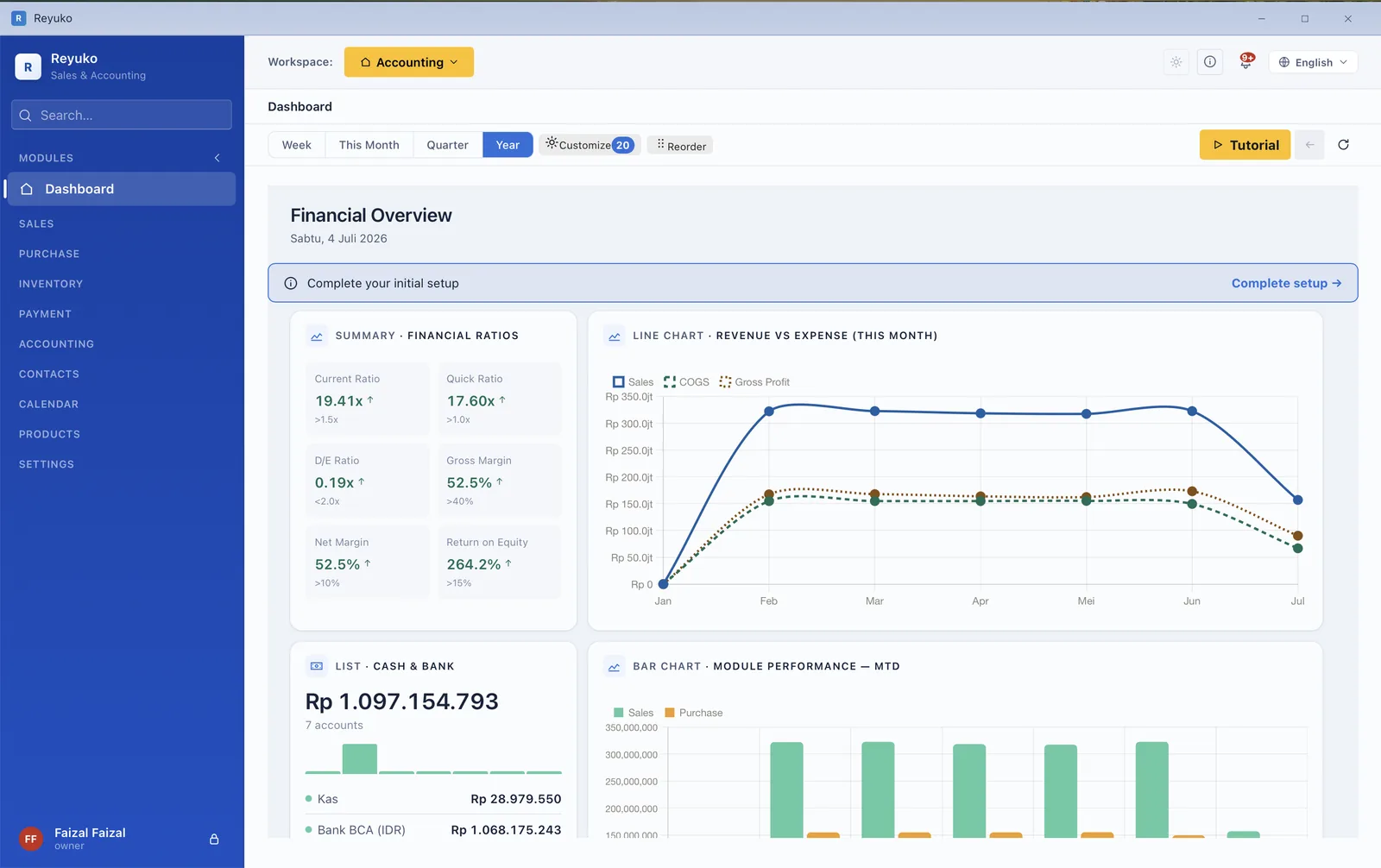
Accounting in one subscription. Point of sale in another. Payroll in a third. Documents in a shared drive, invoices in an inbox nobody can search, stock in a spreadsheet somebody forgot to update. Every seam between those tools is a place where your numbers stop agreeing — and you only find out at month-end, when someone has to reconcile it all by hand.
The research is blunt about the scale of it. Small and medium businesses run an average of 253 SaaS applications; 53% of licences go unused within 30 days of purchase; and 90% of technology leaders named consolidation a strategic priority for 2025–2026. The stack isn't just expensive. Most of it isn't being used.
| What a typical small business pays for | Per month |
|---|---|
| Accounting & invoicing | $30–70 |
| Point of sale | $60–100 |
| Payroll | $40–80 |
| Business email & storage | $12–30 |
| Inventory or stock add-on | $25–50 |
| Average total across the stack | $196 |
| Reyuko — the whole stack, free tier | $0 |
| Reyuko — every paid feature, top plan | $9.99 |
Stack costs are typical published list prices for small-business plans; the $196 average, the 253-application figure and the 53% unused-licence figure are from the 2024–2026 SaaS-spend research summarized in our internal market validation report.
"Best free plan" is easy to say and hard to defend, so here is the defence. In August 2026 we put Reyuko's free tier beside Manager.io Desktop, Odoo One App Free, Zoho Books Free, Wave Starter, Paper.id Free and FreshBooks — row by row, against their published pricing and documentation. On these nine rows Reyuko stands alone among free plans. Some of the others do build these — Odoo, being a full ERP, builds most of them — but never anywhere a free user can reach: Odoo's free plan gives you one app, and bookkeeping already spends it.
Cashier shifts, 58 mm and 80 mm thermal receipts, returns, and it keeps selling when the internet drops. Every sale posts straight to cash and inventory.
Track stock by batch, by serial number, and by expiry date — the difference between a food business or a pharmacy being able to use the software at all, and not.
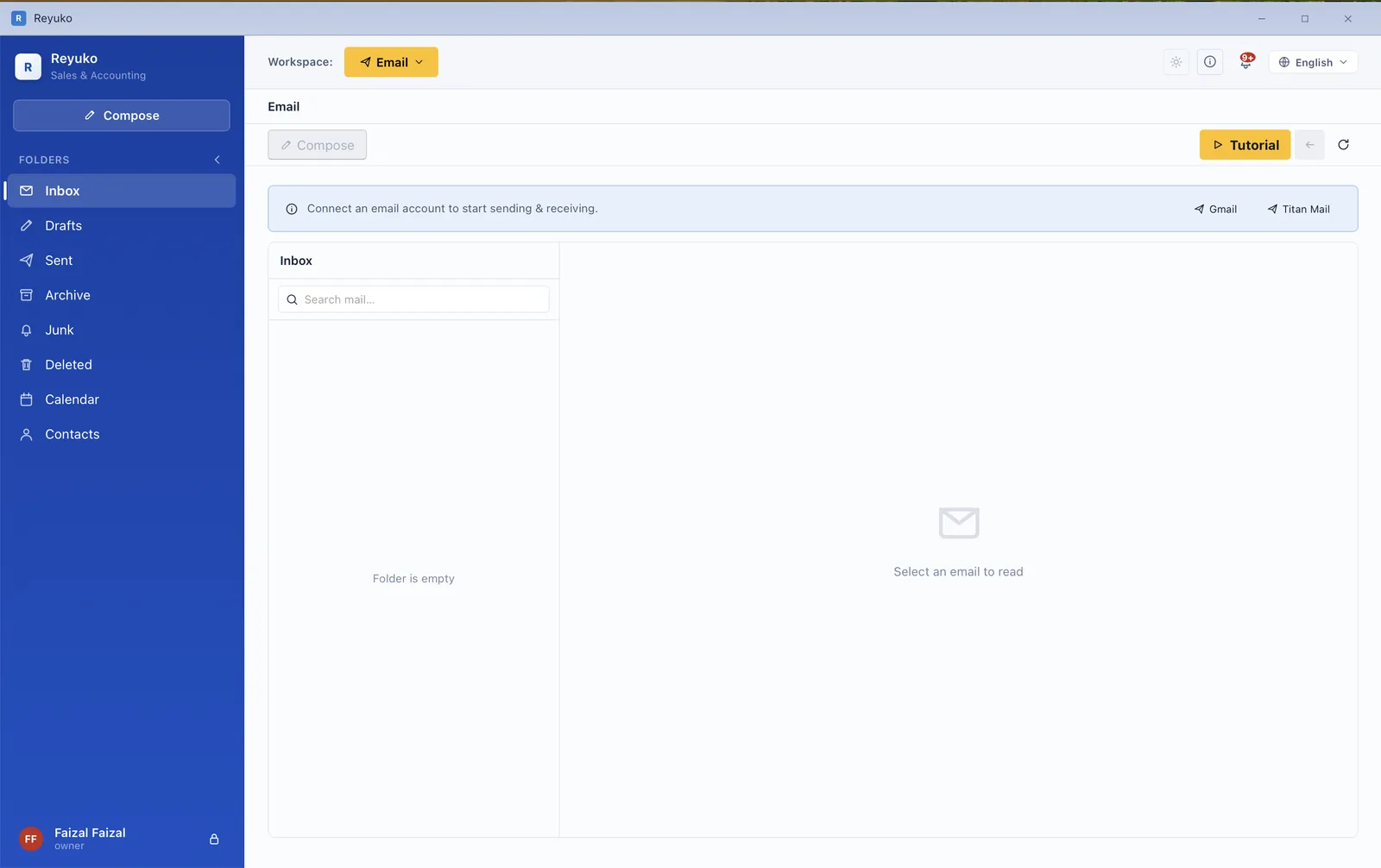
A genuine inbox inside your books — read, reply, attach, and send an invoice to the customer it belongs to without ever leaving the transaction.
A document register, a numbering control card, rich-text notes and attachments — plus a transaction trail that walks a document upstream and downstream to show what settled it.
A safe sandbox where you can post anything, break anything, and throw it away — without touching the books you actually file from.
Country and tax picker, a spreadsheet template for your opening figures, and staged opening balances — so day one ends with your own numbers in, not a blank ledger.
Goods you hold for someone else and goods someone else holds for you — including consignment returns — tracked properly instead of faked with journal entries.
An agenda for the things you rent out or lend — vehicles, rooms, equipment — sitting on the same calendar as your due dates and recurring documents.
Nine business archetypes — retail, wholesale, manufacturing, clinic, F&B, professional services, digital, rental, education — where the sample transactions are posted, so the reports have real numbers to explore.
Comparison run 6 August 2026. Reyuko's column was verified against the shipping plan matrix and checked for which flags are actually enforced in the client, rather than read off a marketing page; competitor columns come from each vendor's own pricing pages and documentation.
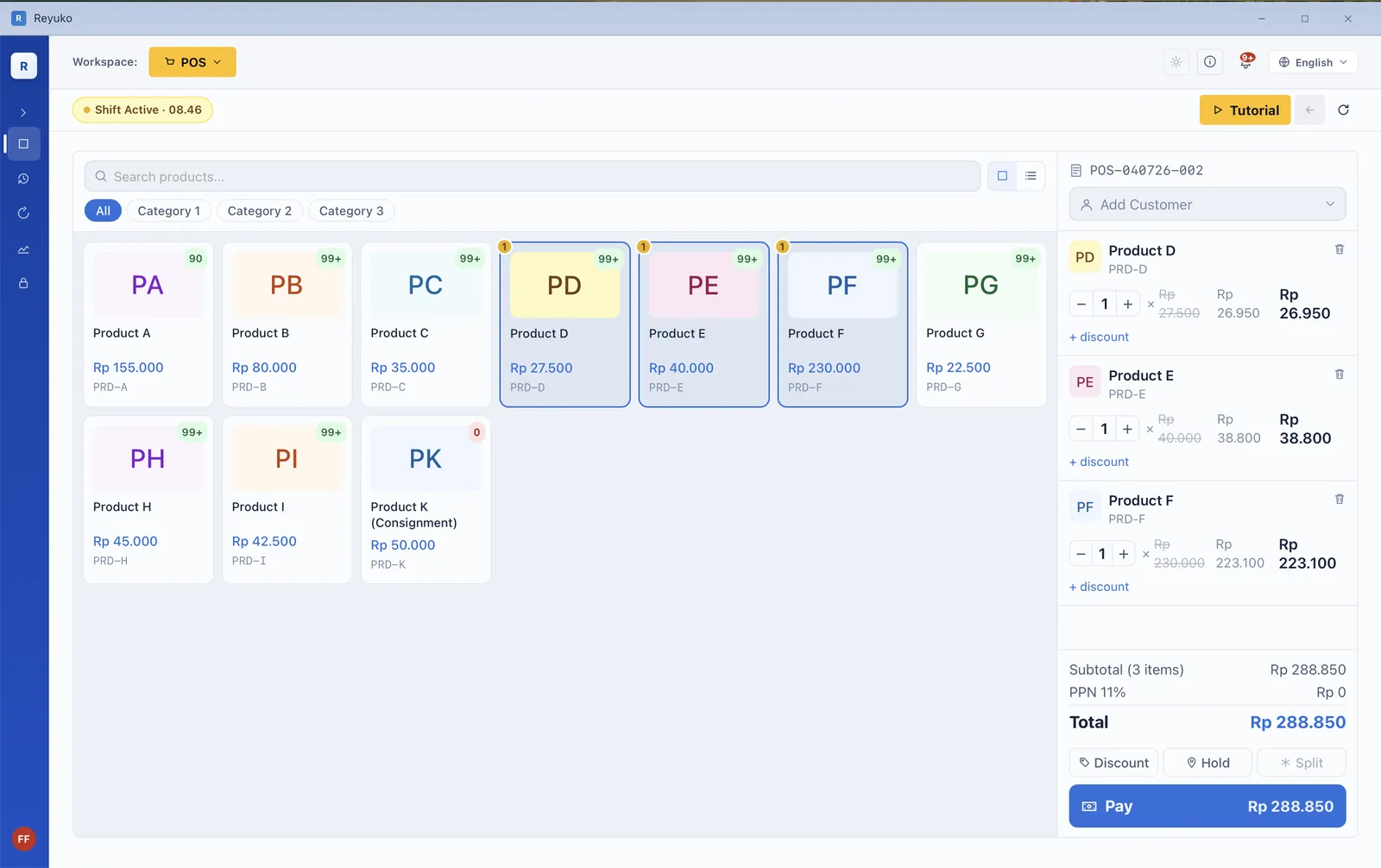
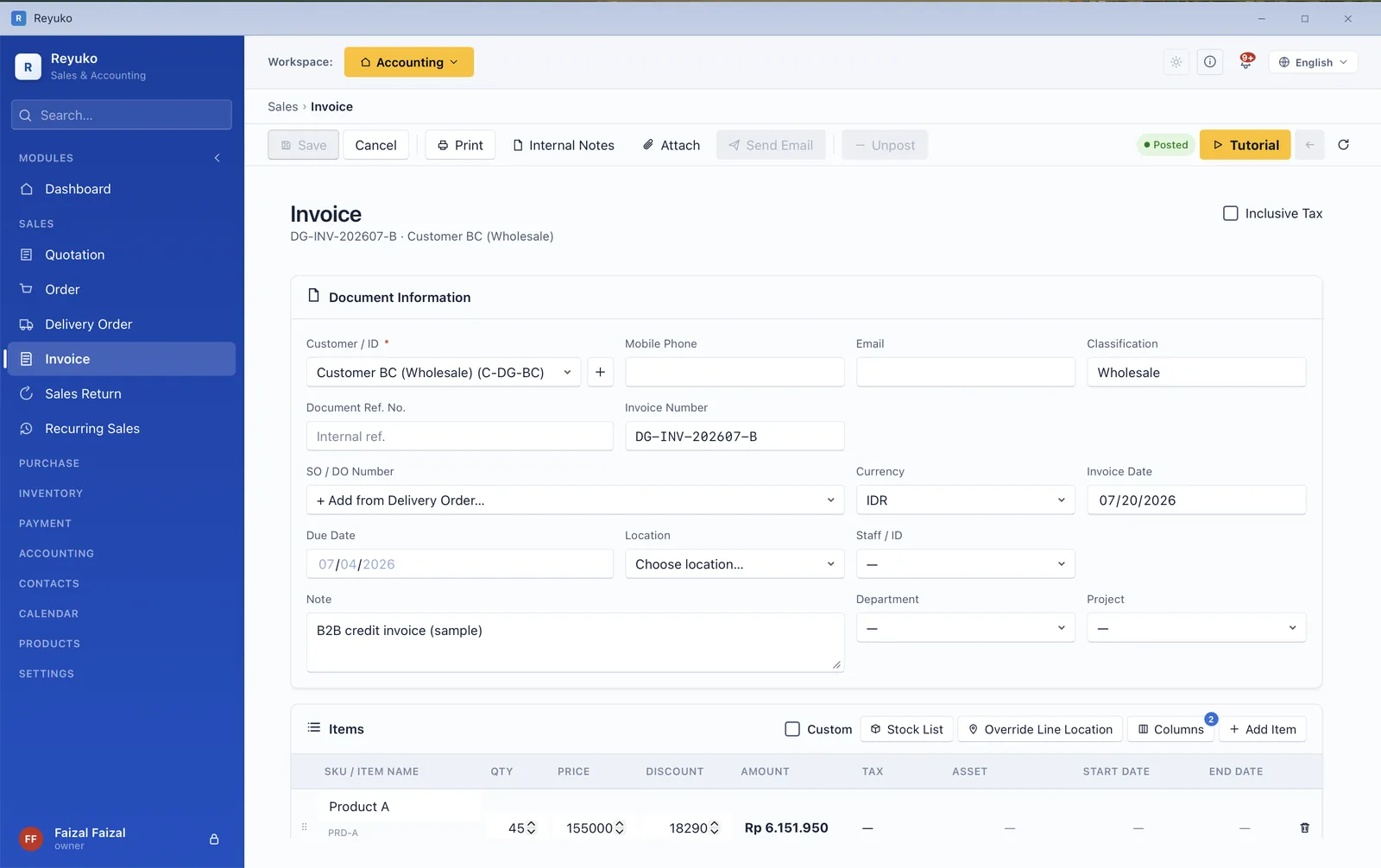
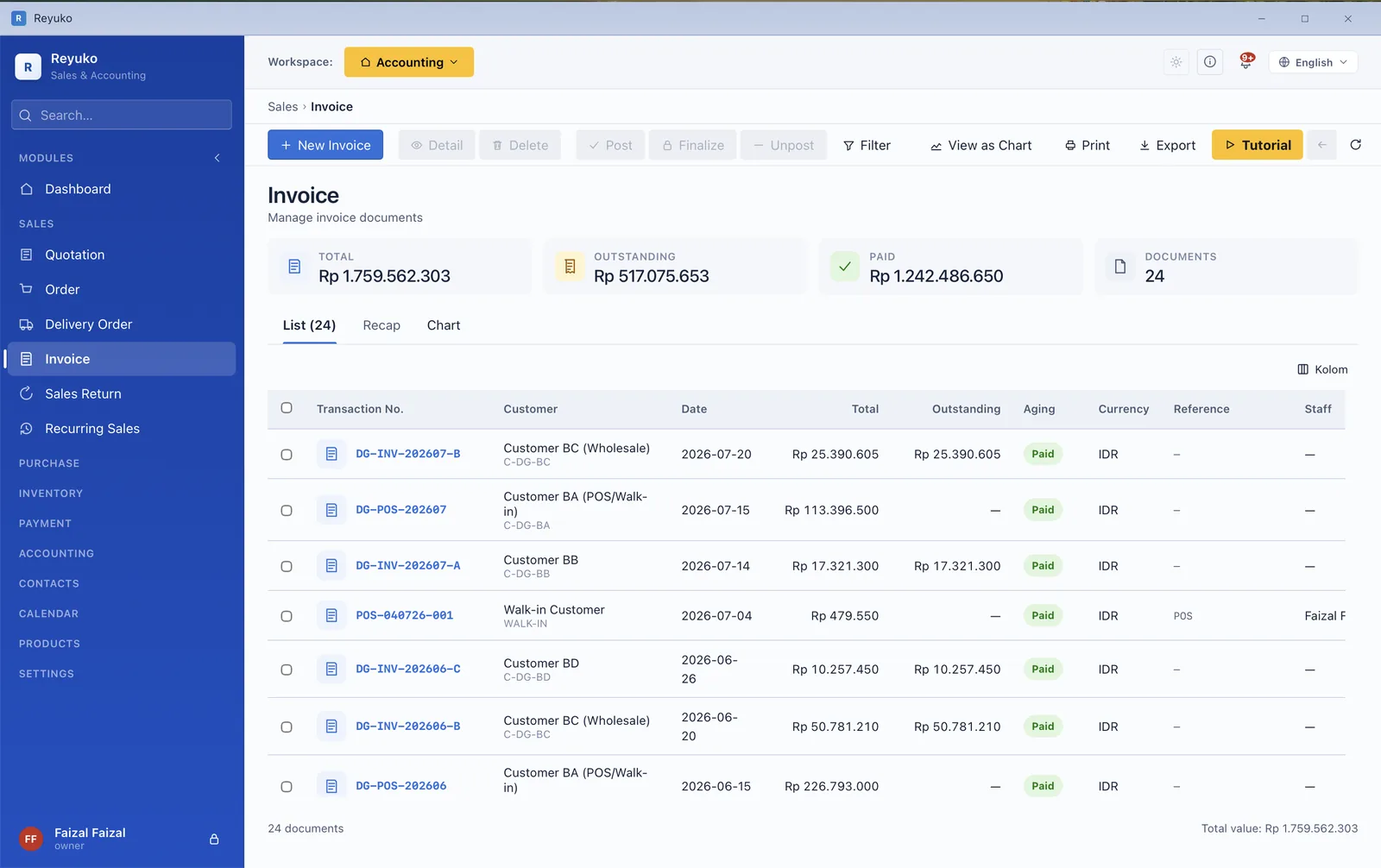
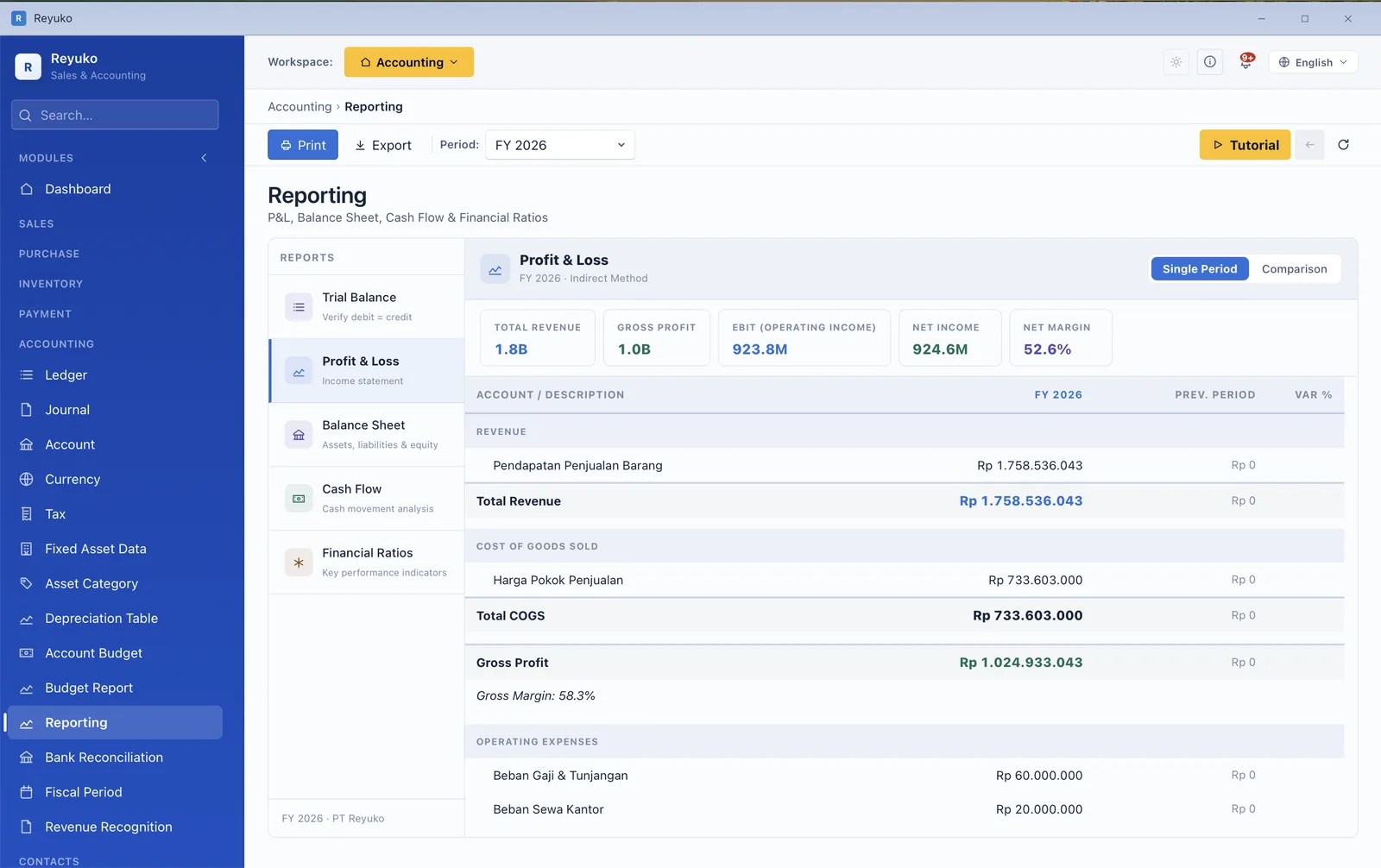
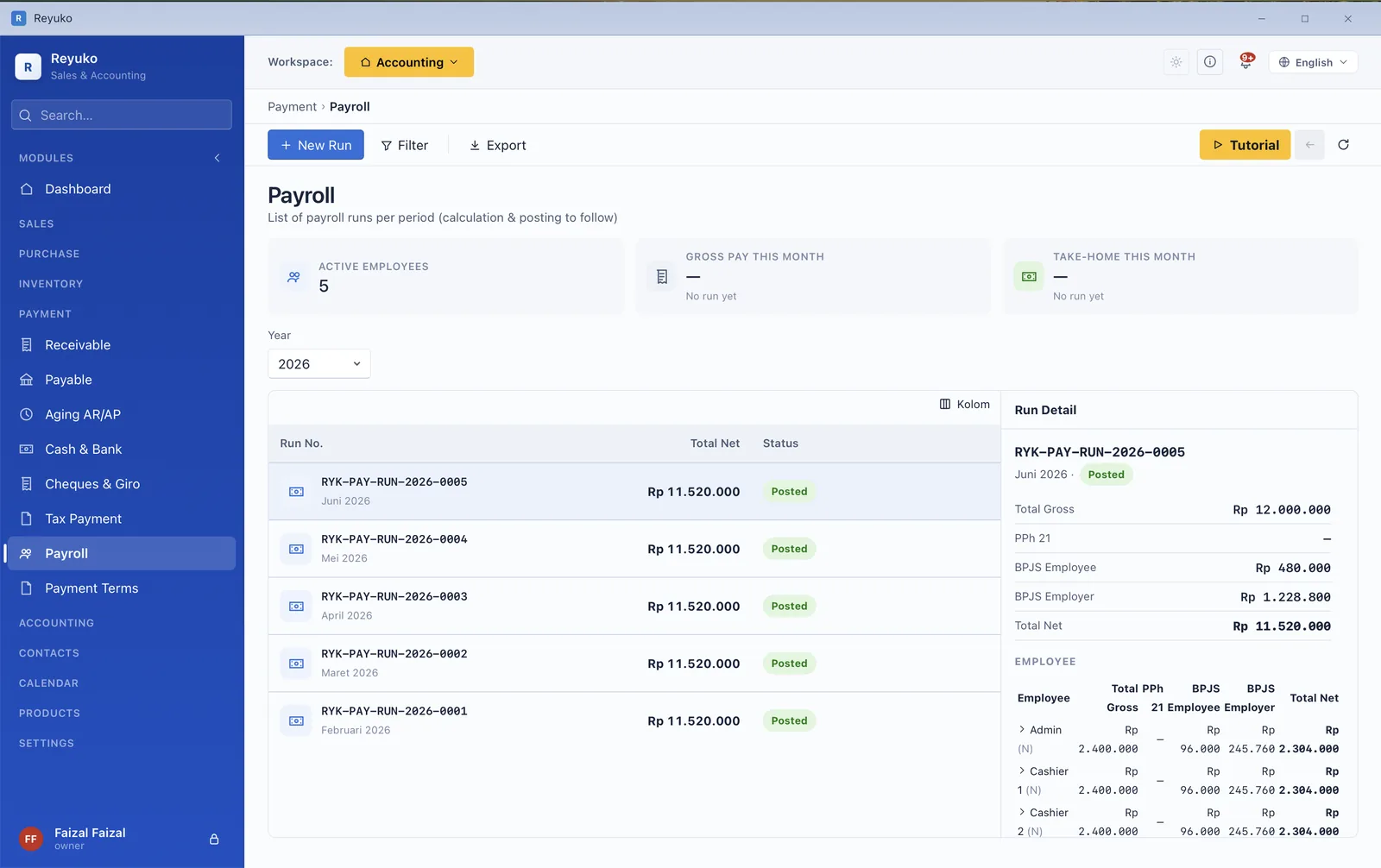
These are screenshots of the shipping application, not mockups. Pick a module.
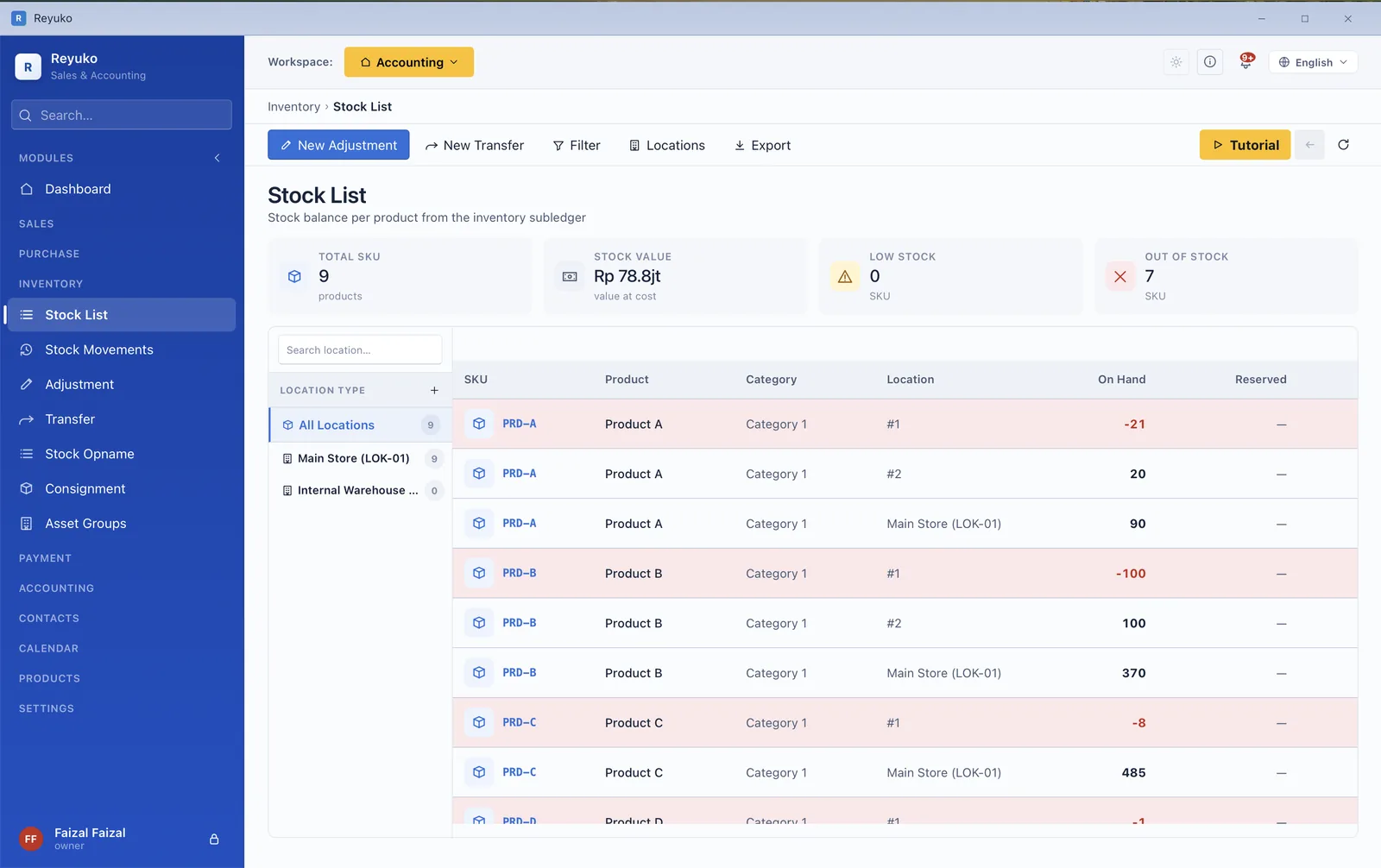
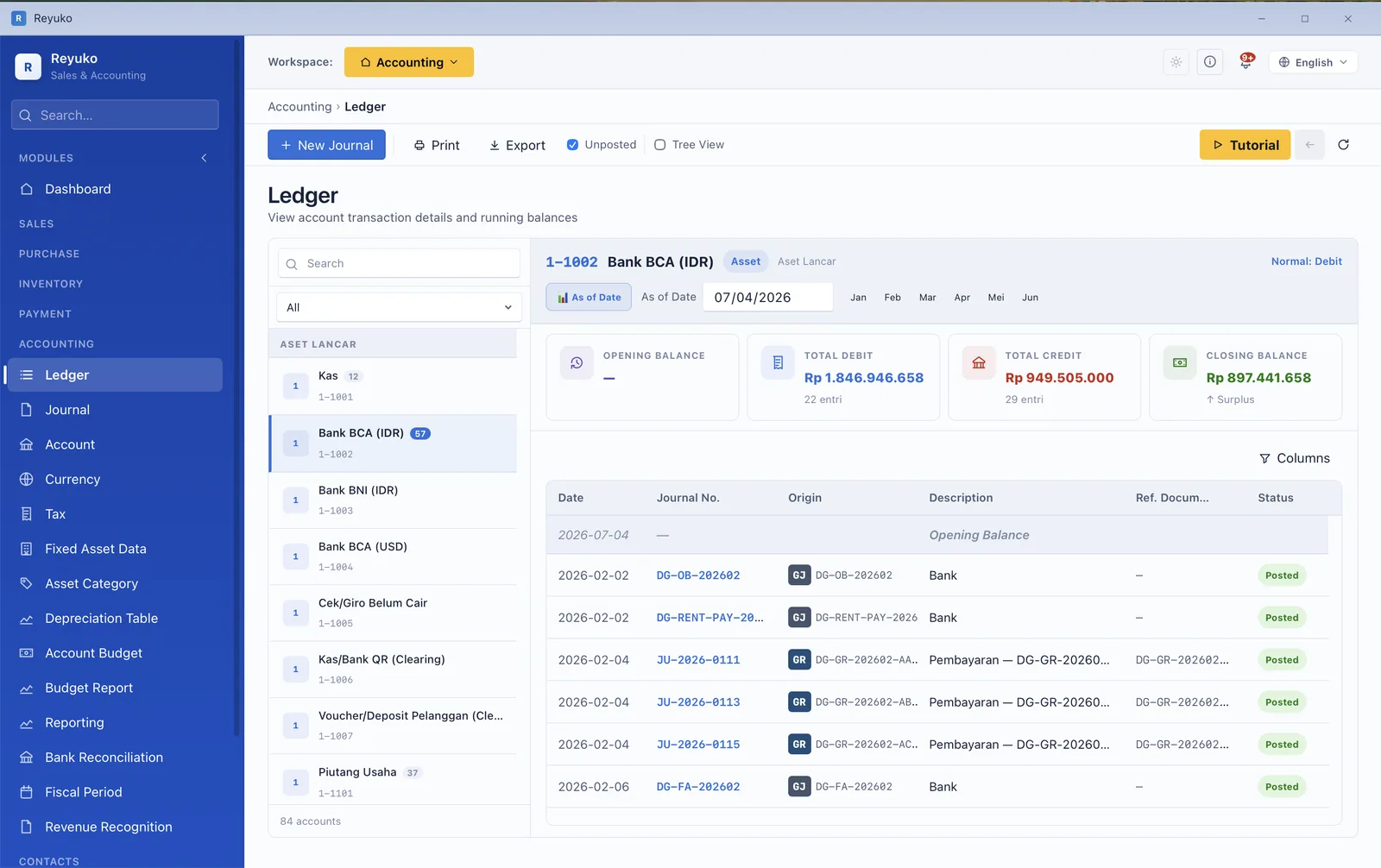
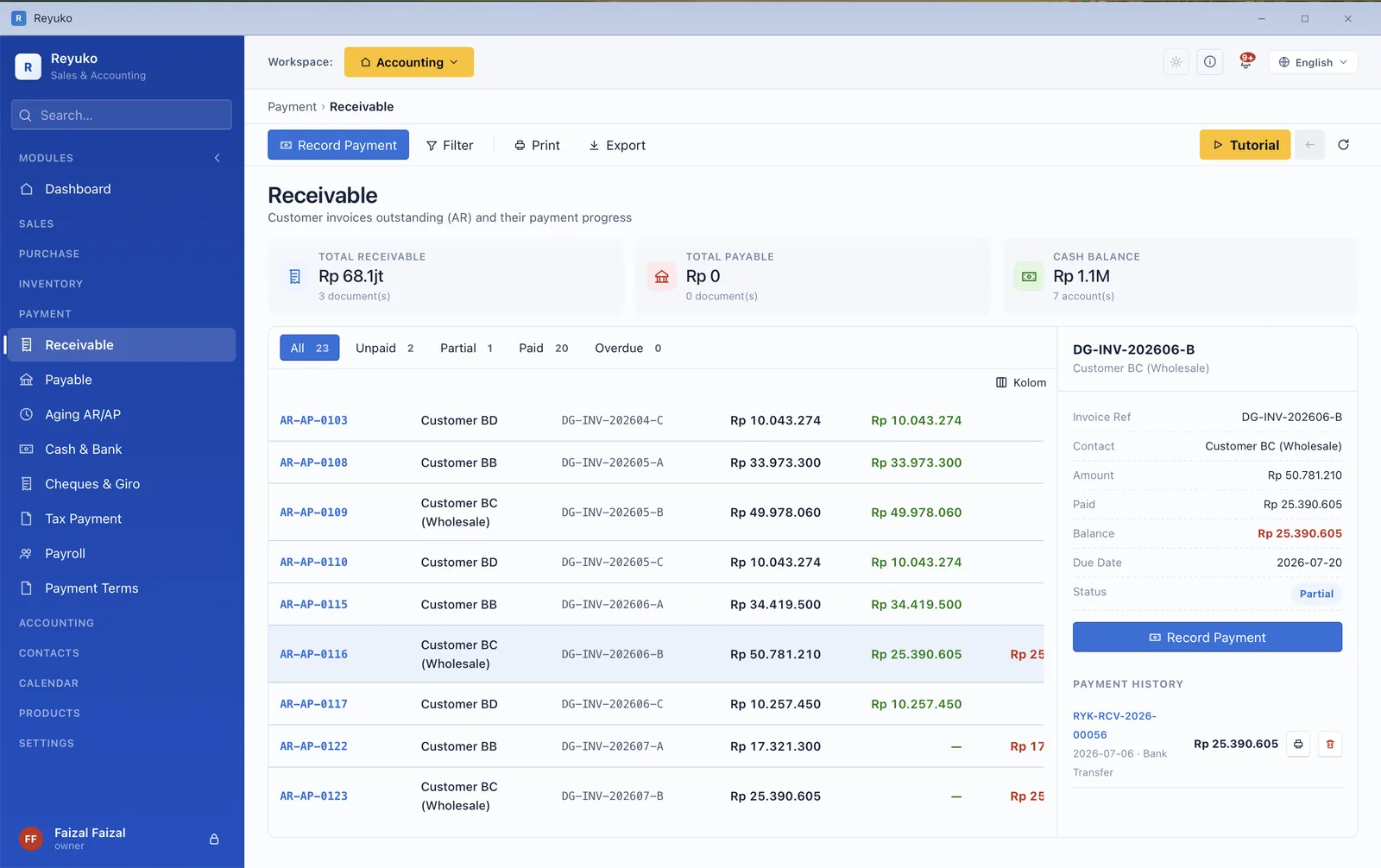
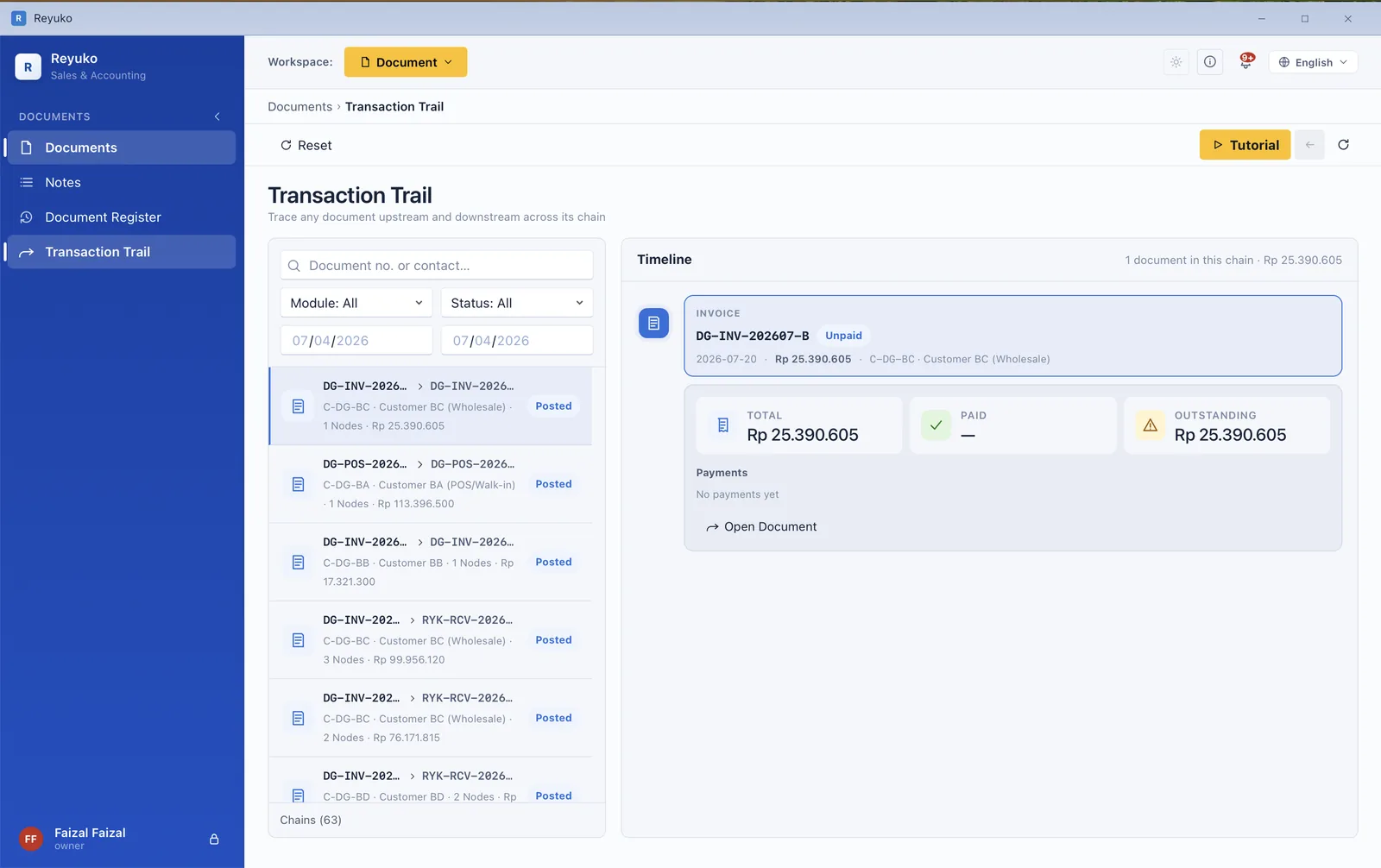
Depth is the easy part to sell and the hard part to live with — most software that can do this much makes you learn it before it does anything for you. Reyuko never shows you more of the ledger than your level needs. You pick how much you want to see, and you move up when you're ready — not when the software decides.
Cash-in and cash-out screens with the ledger language hidden. You record what happened in plain words; proper double entry is posted underneath without you ever touching it.
Adds inventory, the purchase cycle, multi-location tracking and the point of sale — the operational half of the business, once there is more of it than one person can hold in their head.
The full four-level chart of accounts, journals, budgets, department and project dimensions, fixed assets and period closing — everything an accountant expects to be able to reach.
Not one welcome tour you click past and never find again — each module carries its own walkthrough, still sitting there on the day you finally need it.
Pick one of nine industry templates and the books open already full of posted transactions — real reports to explore before you type a number of your own.
Post anything, break anything, throw it away. Your real books never see it — which is the fastest way anyone has ever learned bookkeeping.
Every screen documented. And if the bookkeeping itself is the part you don't know, a 108-lesson course is free on this site — no sign-up, no email.
Three of these are legitimate price comparisons: Manager.io is the only product with an identical model — desktop, offline, local data — Odoo is the ERP benchmark and the only other genuinely deep free tier, while Zoho Books is the global cloud alternative. FreshBooks is here for the opposite reason: it is one of the best-known names in small-business accounting and it has no free plan at all — which is worth seeing next to one that does. Wave and Paper.id are shown for context rather than as price comparisons, because both monetize payment rails rather than software.
| In the free tier | REYUKO Free desktop · offline · local data |
Manager.io desktop · offline |
Odoo One App Free · cloud |
FreshBooks no free plan · trial only |
Zoho Books cloud · global |
Wave cloud · US & Canada |
|---|---|---|---|---|---|---|
| Limits | ||||||
| Transaction / invoice limit | None | None | None | 5 clients on Lite | 1,000 invoices/yr | None |
| Revenue ceiling | None | None | None | None | US$50k/yr | None |
| Works with no internet | Yes — sign in every 30 days | Yes | No | No | No | No |
| Your data on your own machine | Yes | Yes | Vendor servers | Vendor servers | Vendor servers | Vendor servers |
| Countries localized | 24 + 17 languages | Localized, no statutory payroll | Many | Mainly US, CA, UK | Many | US & Canada only |
| Depth of the free tier | ||||||
| Double-entry bookkeeping | Full | Full | Full — if it is your one app | From Plus — $43/mo | Full | Full |
| Point of sale | Yes | No | Another app — not free | No | No | No |
| Inventory with batch / serial / expiry | Yes | No batch or serial | Another app — not free | No inventory | Basic | No |
| Consignment in / out / return | Yes | No | Another app — not free | No | No | No |
| Fixed assets & depreciation | Yes | Yes | Yes | No | No | No |
| Built-in email inbox | Yes | Send only | Record threads, no mailbox | Send only | Send only | Send only |
| Document workspace & chain trail | Yes | Attachments only | Another app — not free | No | Attachments | No |
| Asset calendar & booking | Yes | No | Another app — not free | No | No | No |
| Practice mode | Yes | No | Second database | No | No | No |
| Tiered pricing & date-windowed discounts | 4 tiers | One price per item | Pricelists — another app | No | No | No |
| Bank statement import | CSV + auto-match | Import + rules | Import + sync | Bank connections | Manual | Automatic = paid |
| Where Reyuko charges — and what the others do | ||||||
| Statutory payroll (PPh 21, BPJS, CPF, EPF…) | Backup Plus $6.99 | Absent even at $59/mo | Another paid app | Via integration, US | No | Paid, US & Canada |
| Advanced tax filing & withholding | Backup Plus $6.99 — 23 countries | No equivalent | By localization, paid | No | — | — |
| Cloud backup | Backup $4.99 | Manual only | Included | Included | Included | Included |
| Multi-user | From $4.99 (2 seats) | 1 user; roles only on $59 Cloud | Unlimited — but one app | +$11/user/mo | Paid | Paid |
| Cheapest paid plan | $4.99/mo | $59/mo | $24.90 per user/mo | $23/mo — no free tier | $10–15/mo | $19/mo |
Compiled 6 August 2026 from each vendor's published pricing and documentation. Where a vendor does not disclose a limit, the cell says so rather than guessing. Odoo's column is its One App Free plan with Accounting chosen as the free app; “another app” means Odoo builds the capability but on a plan no free user reaches, and its paid price is per user ($24.90/user/month, US first-year annual, checked 20 August 2026). FreshBooks has no free tier at all, so its column describes its paid plans — list prices ($23 Lite / $43 Plus / $70 Premium, extra seats $11), verified on freshbooks.com on 23 August 2026; promotional rates are frequently lower. QuickBooks and Xero have no free plan either. Paper.id is omitted from this table for width.
A free plan that hides its limits until you've entered six months of data isn't generous, it's a trap. So here is the whole list, before you download anything. None of these are transaction limits or revenue caps — the free tier has neither.
The free tier is a single seat on a single machine. A second seat, and a second device, start at the first paid tier.
Backup · $4.99/moInvoices print clean and professional on the free tier, and carry no Reyuko advertising — but your own logo, brand colours and footer text are a paid feature.
Backup · $4.99/moYou get one of the five print layouts free. The other four come with a paid plan.
Backup · $4.99/moBooks in a single currency, and no budget-versus-actual reporting, until you upgrade.
Backup · $4.99/moNothing is backed up for you. Your books are a file you can copy yourself — and you should — but automatic off-site backup is paid.
Backup · $4.99/moPayroll runs, PPh 21 with TER, BPJS, CPF/SDL, EPF/SOCSO/EIS/PCB, and the tax return builder with e-Faktur and 23-country withholding.
Backup Plus · $6.99/moMultiple people in the same books at the same time, across devices, with additional seats at $2 each.
Full Online · $9.99/moTicketed support is a paid channel. Sending feedback and reporting a bug stays open to everyone, free or not.
Paid plansEach of these ships with its own chart of accounts, tax treatment and payroll rules, in an interface available in 17 languages including right-to-left.
The most common question about a free plan this deep — and the honest answer.
There isn't a hidden one, and the reason is structural rather than charitable. Reyuko is a desktop application: your books live in a file on your own computer, so a free user costs us almost nothing to serve — no storage to rent, no queries to run. That's why the free tier can be this deep without a business case falling over.
We make money when a business grows into cloud backup, a second seat, statutory payroll, or tax filing. Until then you cost us a licence check. What we deliberately do not do: cap your transactions, cap your revenue, or print our advertising on your invoices.
Yes, in the literal sense: it's a database file on your machine. Copy it to a USB stick, keep it in your own backup, move it to a new laptop — none of that requires our permission or our servers. Cloud backup is a convenience we sell, not the place your data is held hostage.
No. Invoicing, the point of sale, inventory and reporting all run with no connection at all. You sign in once every 30 days to keep the licence active — which, among desktop products that require any sign-in, is the loosest requirement in this comparison.
Manager is the closest thing to a true comparable — desktop, offline, local data, free — and it is genuinely generous. The differences are in depth and in usability. Reyuko adds a full point of sale, batch and serial-number inventory, consignment, an asset calendar, a document workspace with chain tracking, a built-in email inbox and a practice mode. None of those exist in any Manager edition, including the $59/month Cloud tier.
Statutory payroll is the sharpest example: Manager's payroll engine is generic line items you type the numbers into. It computes no country's mandatory contributions — not at any price.
That's what Basic mode is for: cash-in and cash-out screens with the ledger language hidden, while proper double entry is posted underneath. Intermediate adds inventory and purchasing as you grow; Advanced exposes the full chart of accounts, budgets and department dimensions when your accountant wants them.
Start from one of nine industry templates with real posted transactions, poke at it in Practice mode, and read the free bookkeeping course — 108 lessons, no sign-up — when you want to understand what the app is doing.
Your books carry over unchanged. Moving books to the Full Online plan is one-way: online books cannot be moved back into books on your device. Backup ($4.99) adds cloud backup, multi-currency, budgets, document branding and a second seat. Backup Plus ($6.99) adds statutory payroll and advanced tax filing. Full Online ($9.99) adds shared online books and three users, with extra seats at $2. The most expensive plan still costs a twentieth of the $196 stack it replaces.
Install it, load an industry template, and see whether anything in this page overstated the case. No credit card, no sales call, and nothing to cancel if you walk away.
 Reyuko