Sixteen modules · around seventy screens

Everything in the box, listed honestly.

This is the full inventory — every module, every document type, every report. Where something needs a paid plan it says so on the line, not in a footnote. Every screenshot below is the shipping application.

Where you land

The dashboard

Six financial ratios scored against their benchmarks, revenue against expense for the period, every cash and bank balance, and per-module performance — assembled from the same ledger that produces your statements, so it can never quietly disagree with them.
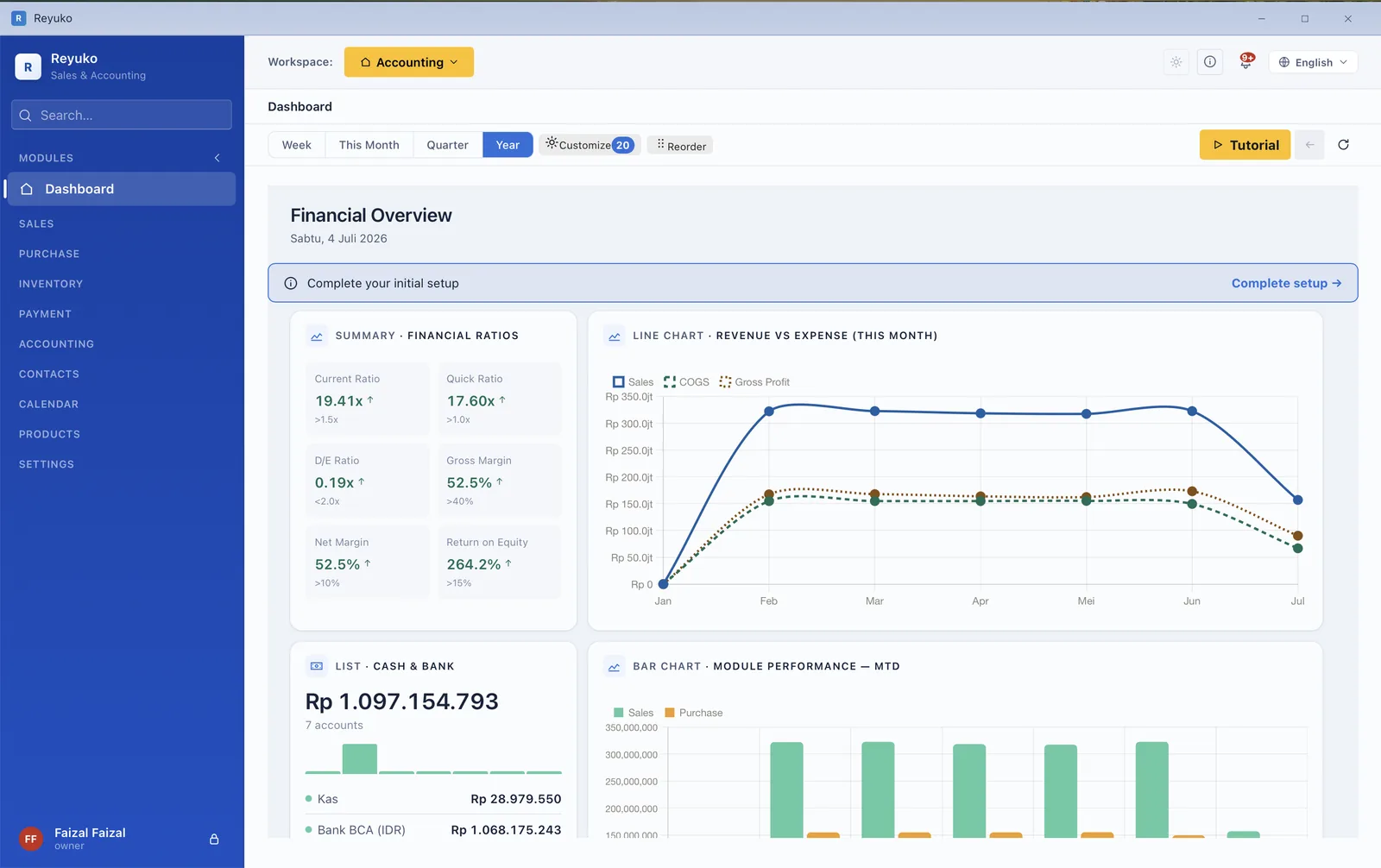
Reyuko dashboard with financial ratio cards, revenue versus expense chart, cash and bank list and module performance bars

Current ratio, quick ratio, debt-to-equity, gross margin, net margin and return on equity — each with the threshold it should clear. Twenty widgets, reorderable.

Module 01

Sales

The whole chain, each step posting its own journal

QuotationSales orderDelivery orderInvoiceReturn

You can enter at any point — a walk-in sale starts at the invoice, a tender starts at the quotation. Each document knows what came before it, so nothing is re-keyed and the goods-out and the revenue never post twice.
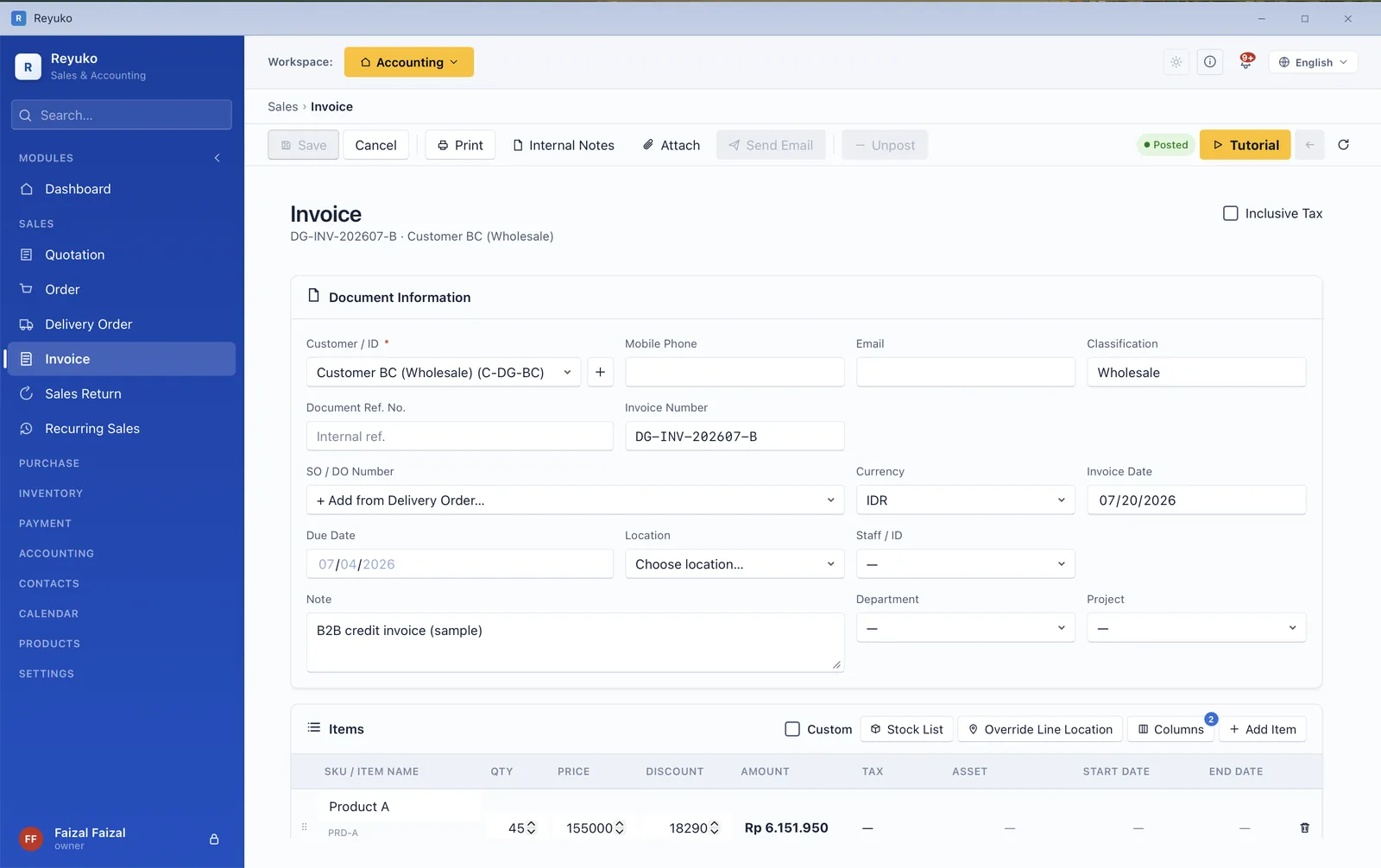
  • Line items with real depth — quantity, unit, price, discount, tax per line, plus custom manual lines for anything that isn't a catalogue item.
  • Sell from a specific location, with live availability checked against the stock list as you type.
  • Tax inclusive or exclusive, switchable per document, with the controlling setting visible rather than buried.
  • Operational start and end dates — the difference between when you invoiced and when the service actually runs.
  • Payment section on the document itself: terms, instalment schedule, and how much is already settled.
  • Recurring invoices from a template, executed from the calendar.
  • Sales returns that reverse both the revenue and the cost of goods on the correct basis.
  • Consignment out and consignment-out returns, tracked as goods you still own.
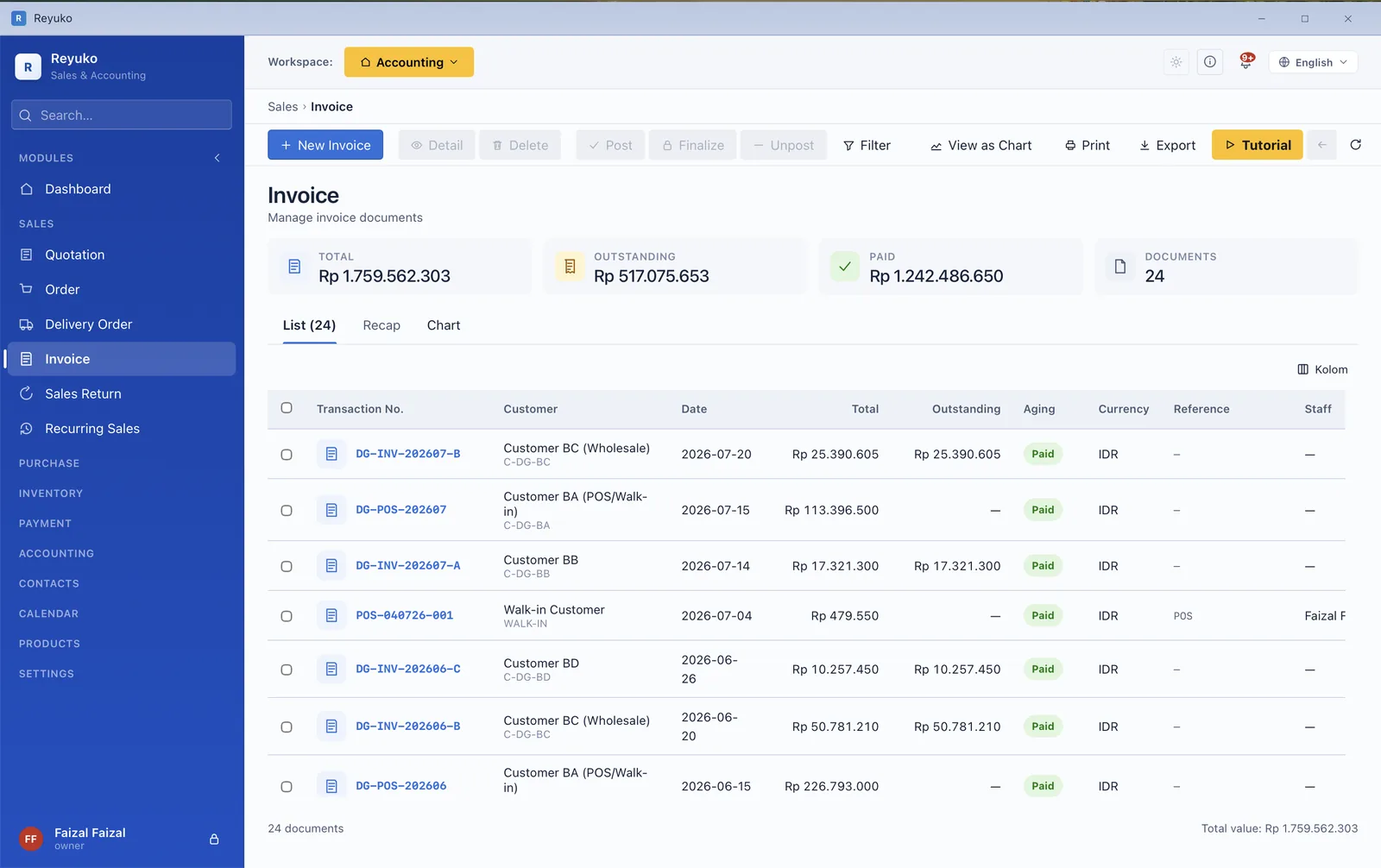
Sales invoice list showing totals, outstanding amounts and status per document
The invoice list — totals, outstanding, and each document's status.
New invoice form with document information and the item lines table
The invoice form: document information above, item lines below.
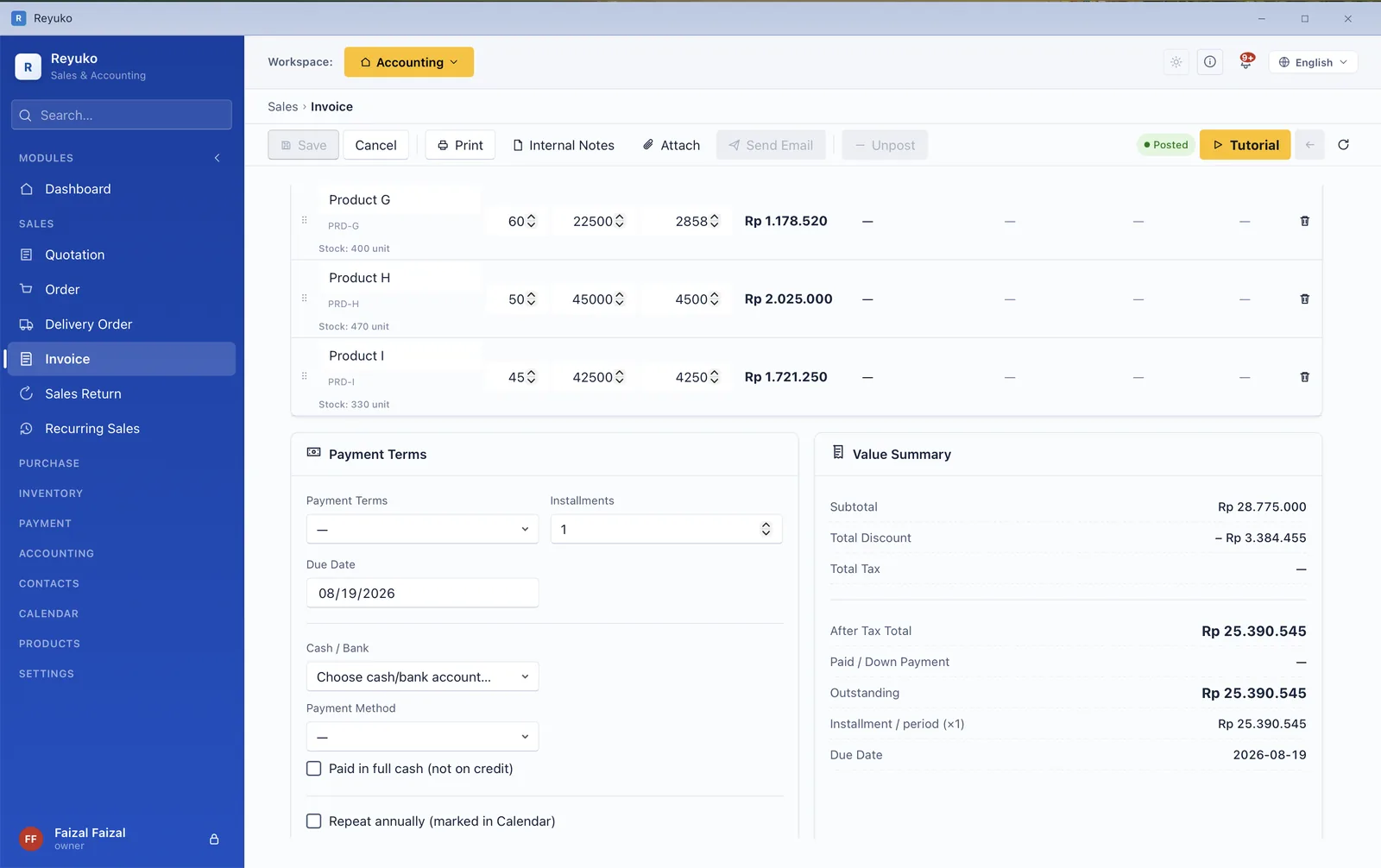
Invoice detail with line items, payment terms and value summary
Invoice detail — line items, payment terms, value summary.
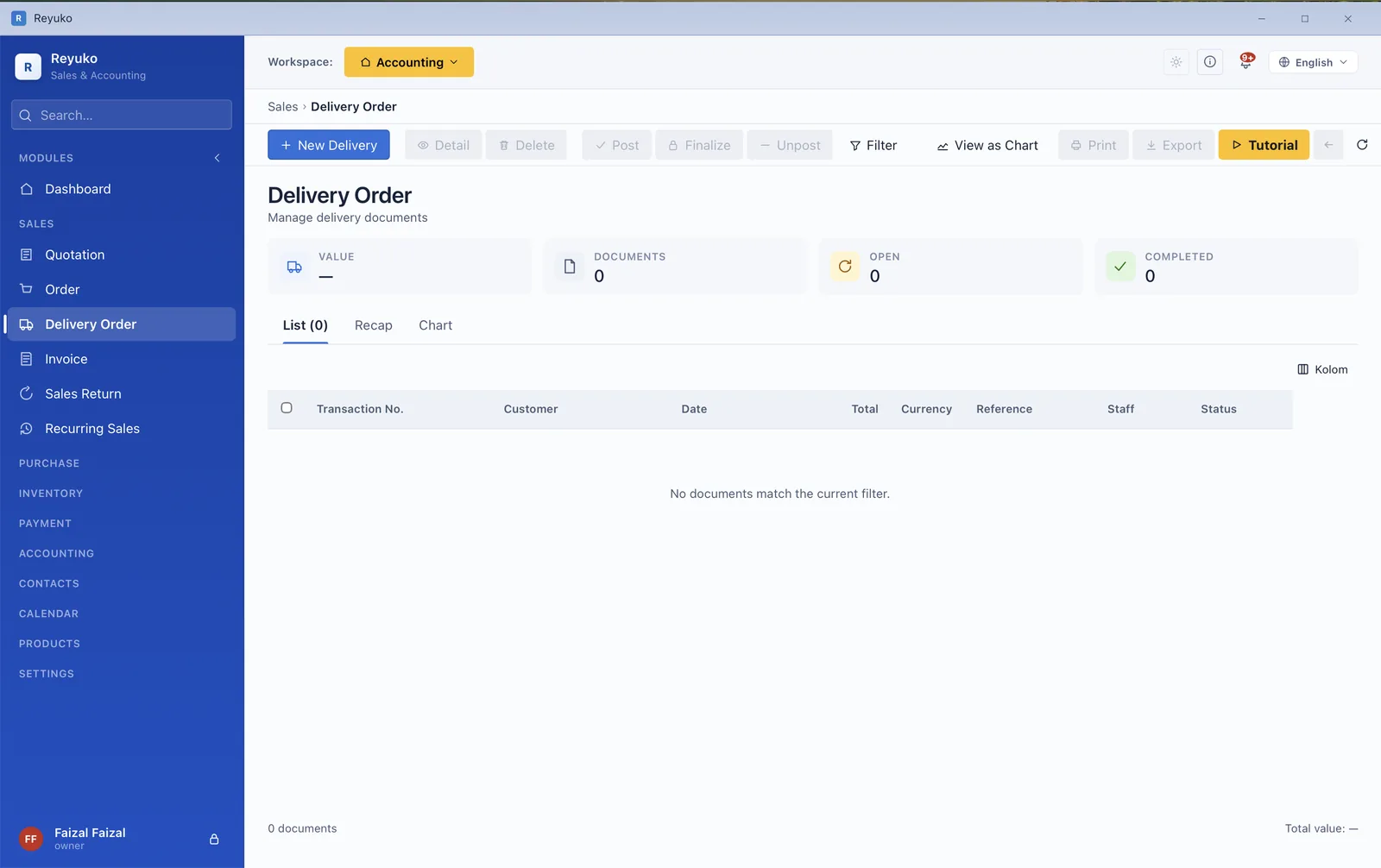
Delivery order list of goods shipped to customers before invoicing
Delivery orders — goods shipped ahead of the invoice.
Module 02

Purchasing

The mirror of sales, including the parts people skip

Shopping cartQuotation requestPurchase orderGoods receiptBillReturn

Goods received and the bill for them are separate events, which is exactly why so many books drift. Reyuko keeps them separate and reconciles them — you can see what has arrived but not yet been billed, and what you have been billed for but never received.
  • Shopping cart / purchase request for the internal ask before it becomes a commitment.
  • Quotation requests to several vendors, compared before ordering.
  • Goods receipt separate from the bill, with the GRNI position visible instead of implied.
  • Purchase returns that unwind stock and payable together.
  • Recurring purchases for rent, subscriptions and standing orders.
  • Consignment received — stock you hold but do not own, kept off your balance sheet until it sells.
  • Vendor withholding flags so tax is deducted at the right moment, not remembered later.
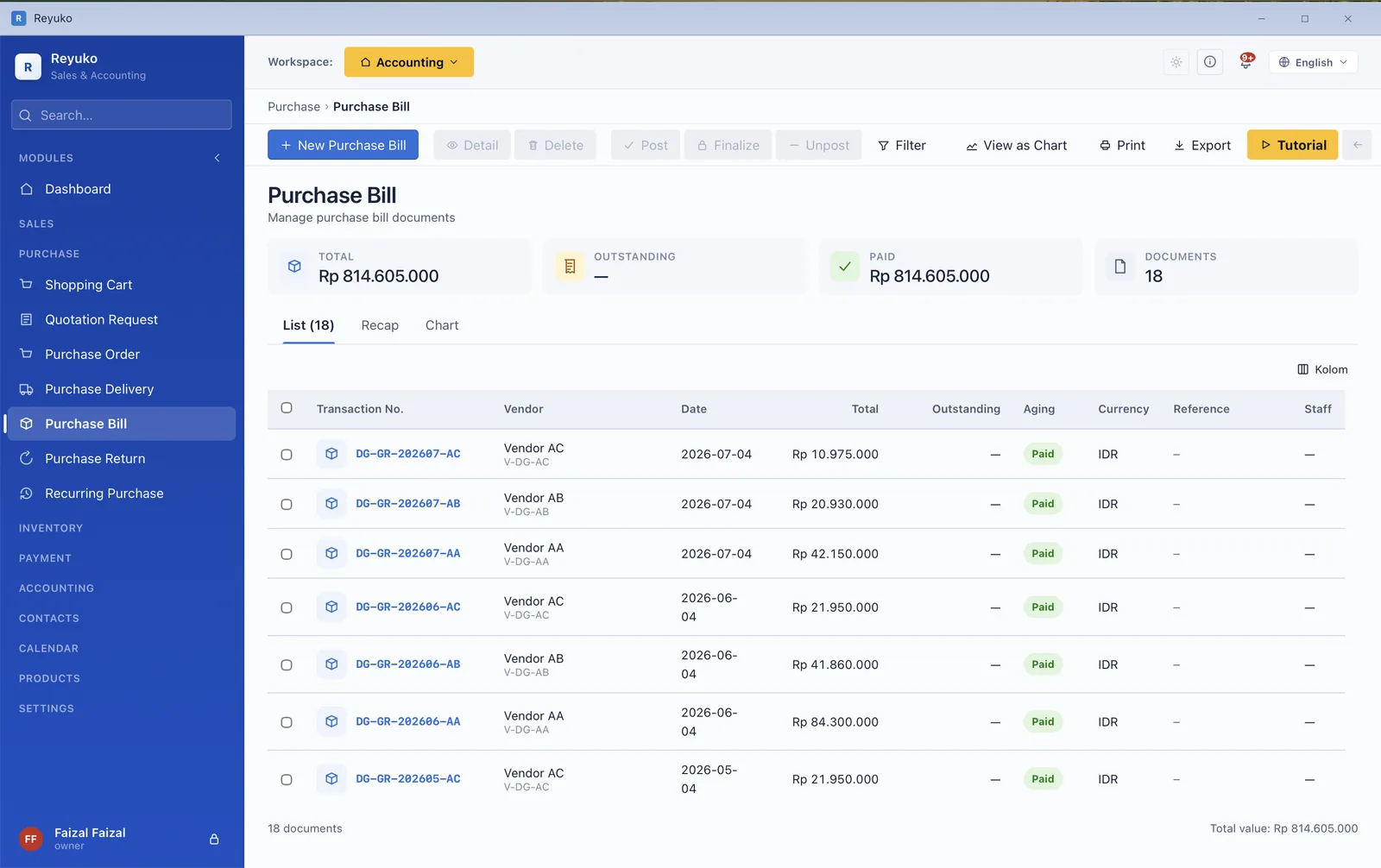
Purchase bill list showing vendor bills with outstanding and paid totals
Purchase bills — outstanding and paid, per vendor.
Module 03

Inventory

Deep enough for a pharmacy, a kitchen or a workshop

Most free accounting apps treat stock as a number you type in. This one tracks it the way a business that actually holds inventory needs — by batch, by serial number, by expiry date and by location — and values it on the method you choose.
  • Valuation by Average, FIFO or LIFO, applied consistently through cost of goods sold.
  • Multi-location stock with transfers between them, and a default-location fallback per document.
  • Stock-take (opname) — physical count against book, with the shortage or overage posted to the right account.
  • Stock adjustments for write-offs and corrections, posted through the inventory subledger.
  • Stock movements ledger — every in and out, traceable to the document that caused it.
  • Production with a bill of materials: inputs consumed, work in progress, finished goods out, balanced to zero.
  • Consignment in and out, plus consignment returns on both sides.
  • Write-downs at the lower of cost or net realisable value, with the impairment journal written for you.
  • Stock alerts that arrive in the notification bell rather than a report nobody opens.
  • Asset groups and bookable service assets, distinct from goods held for sale.
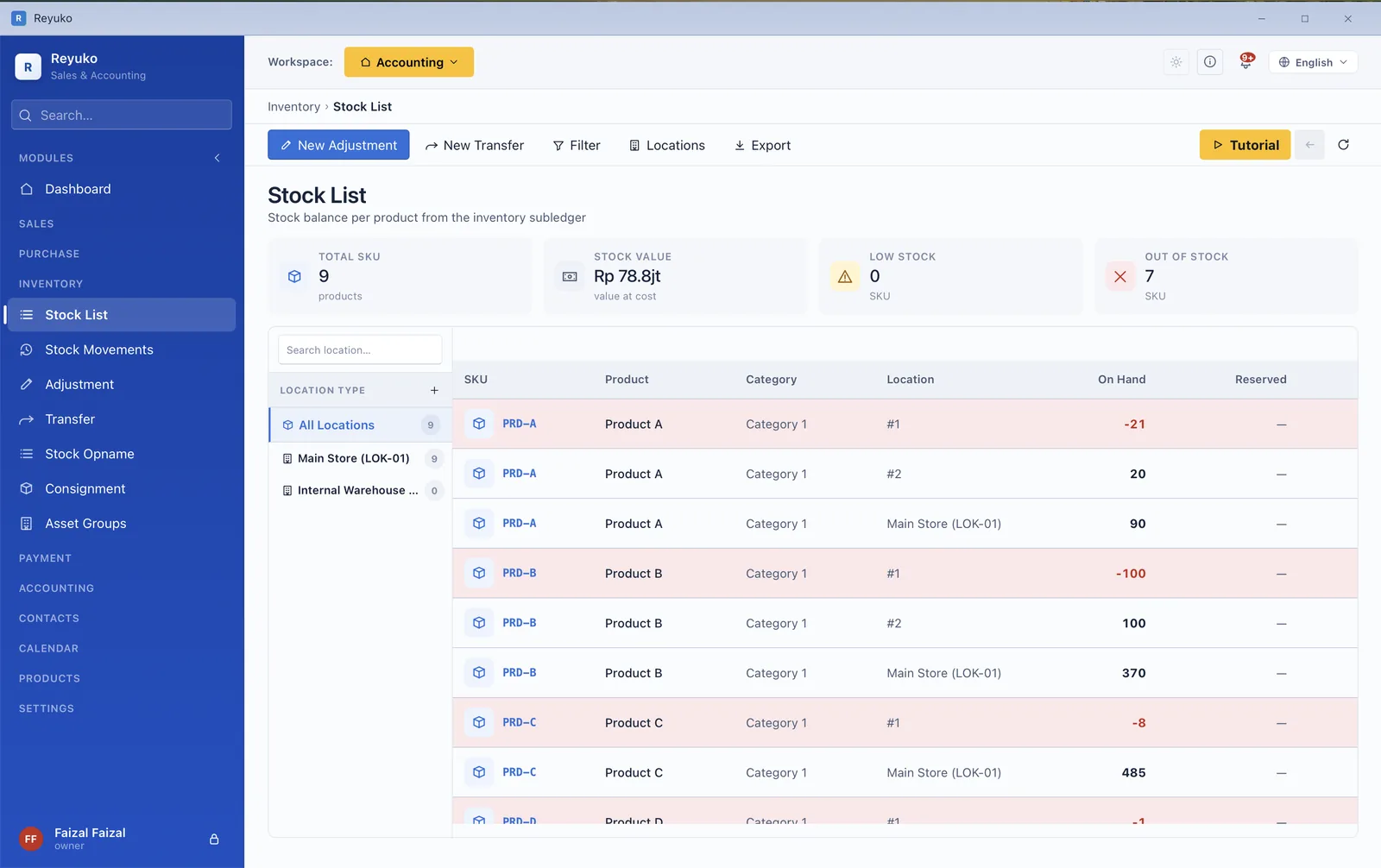
Stock list showing on-hand balance per product per location
On-hand balance, per product, per location.
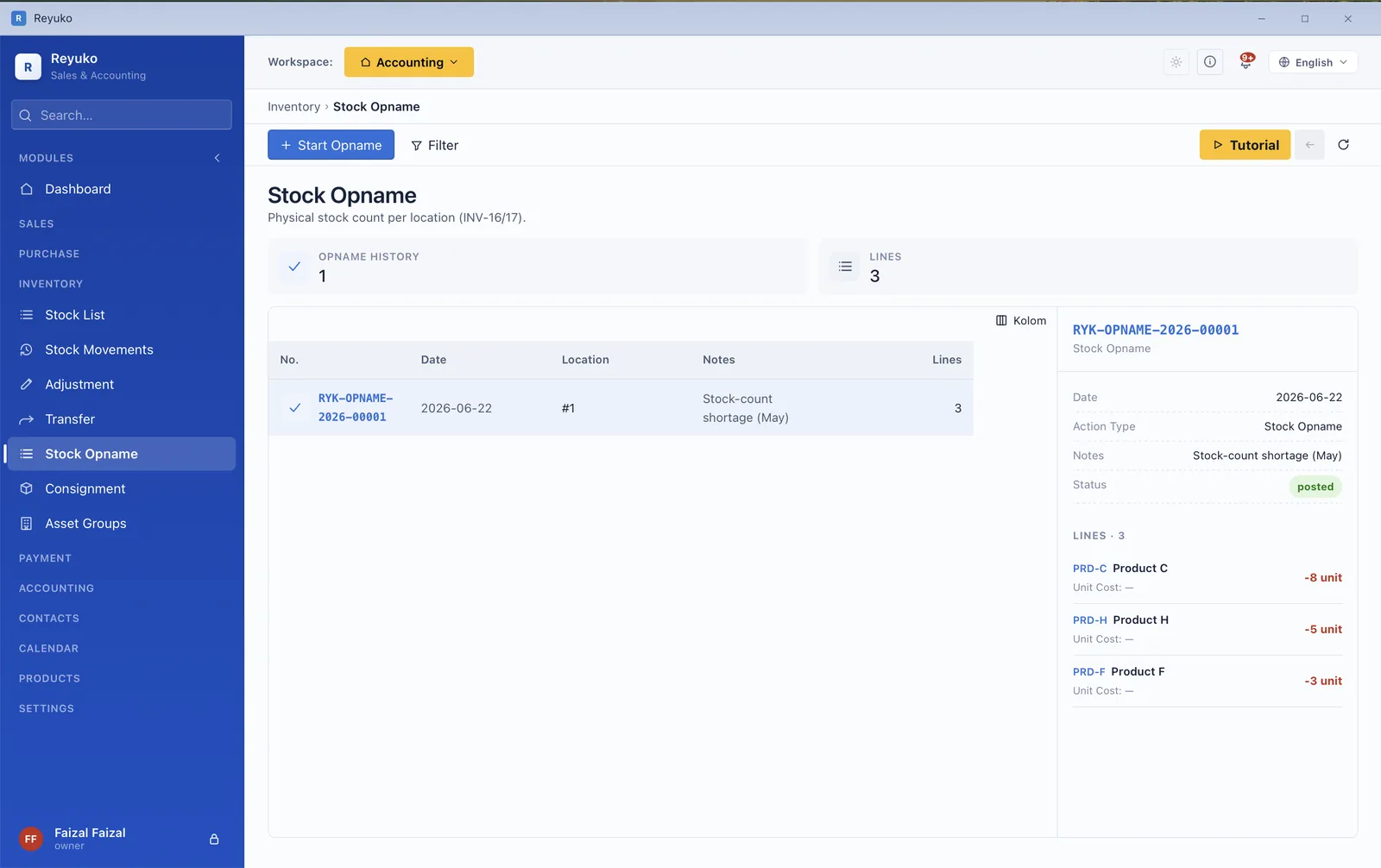
Stock-take screen comparing physical count against book quantity with shortage and overage
Stock-take — counted against book, with the difference valued.
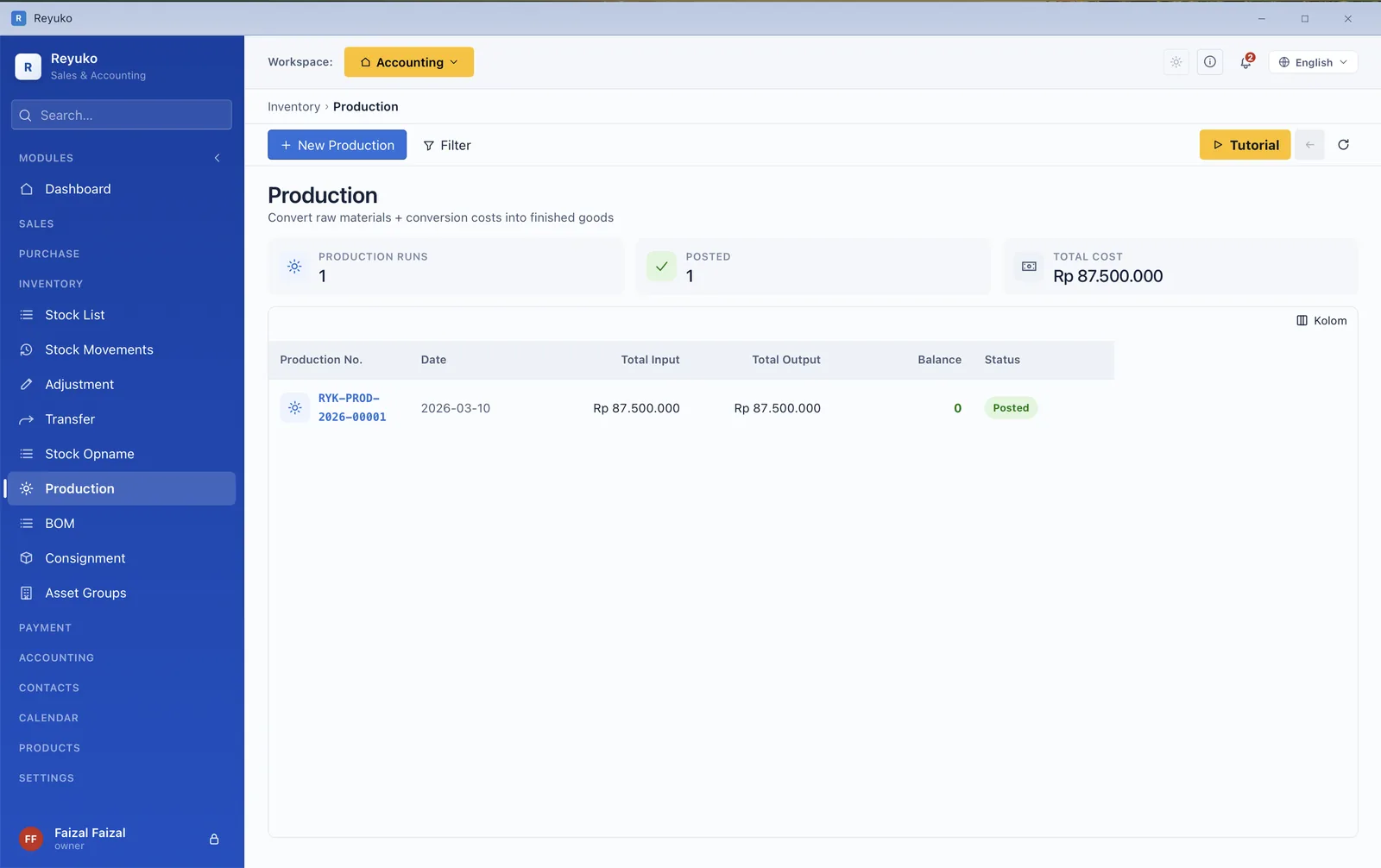
Production order showing inputs consumed and finished goods, balanced to zero
A production run — materials in, finished goods out.
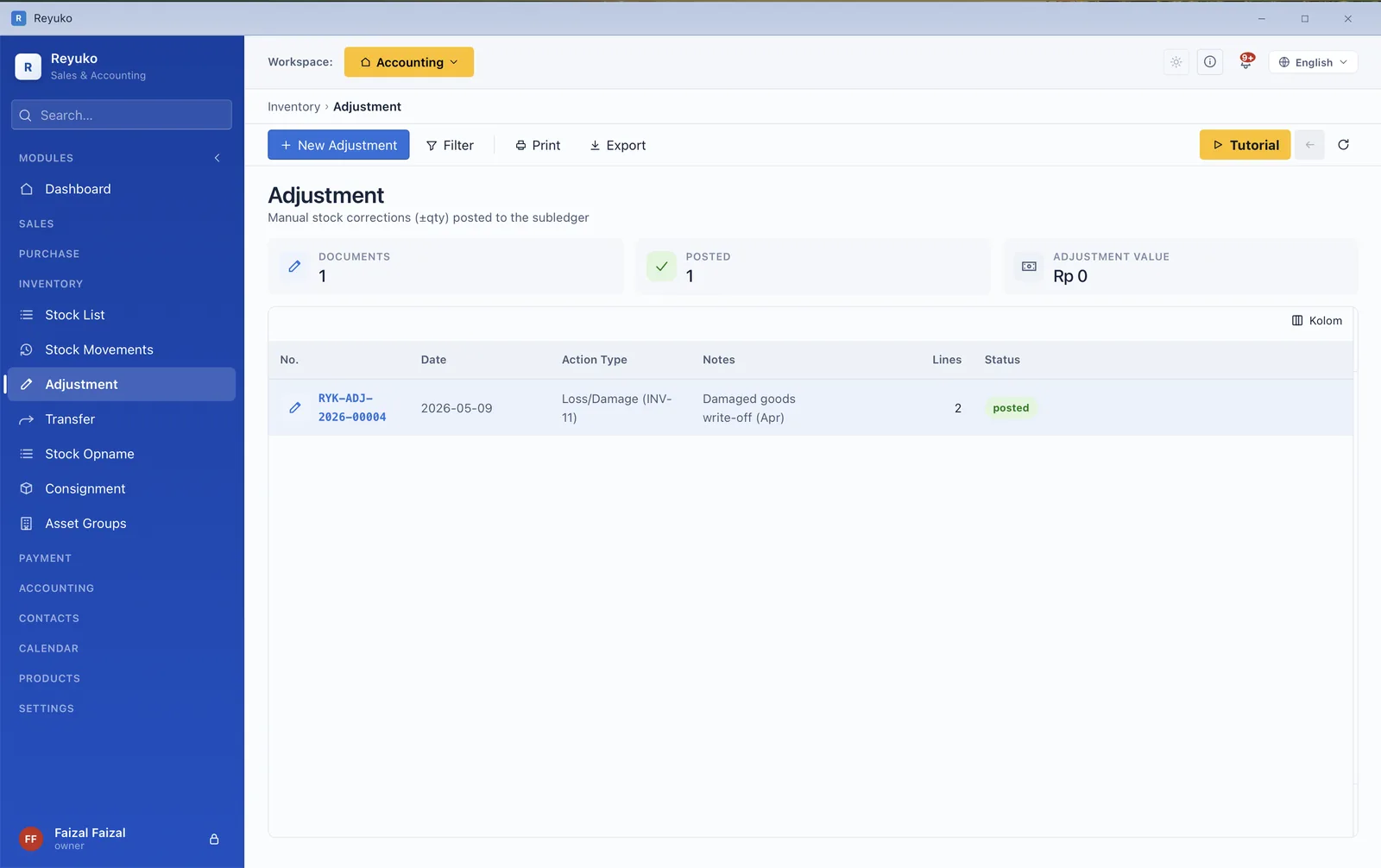
Stock adjustment for write-offs and corrections posted to the inventory subledger
Adjustments and write-offs, posted properly.
Module 04

Point of sale

A till that closes itself

The reason most small businesses reconcile a till by hand every night is that the POS and the books are two different products. Here they are one — every sale posts to cash and inventory as it happens, so end of day is a shift report, not an evening of matching.
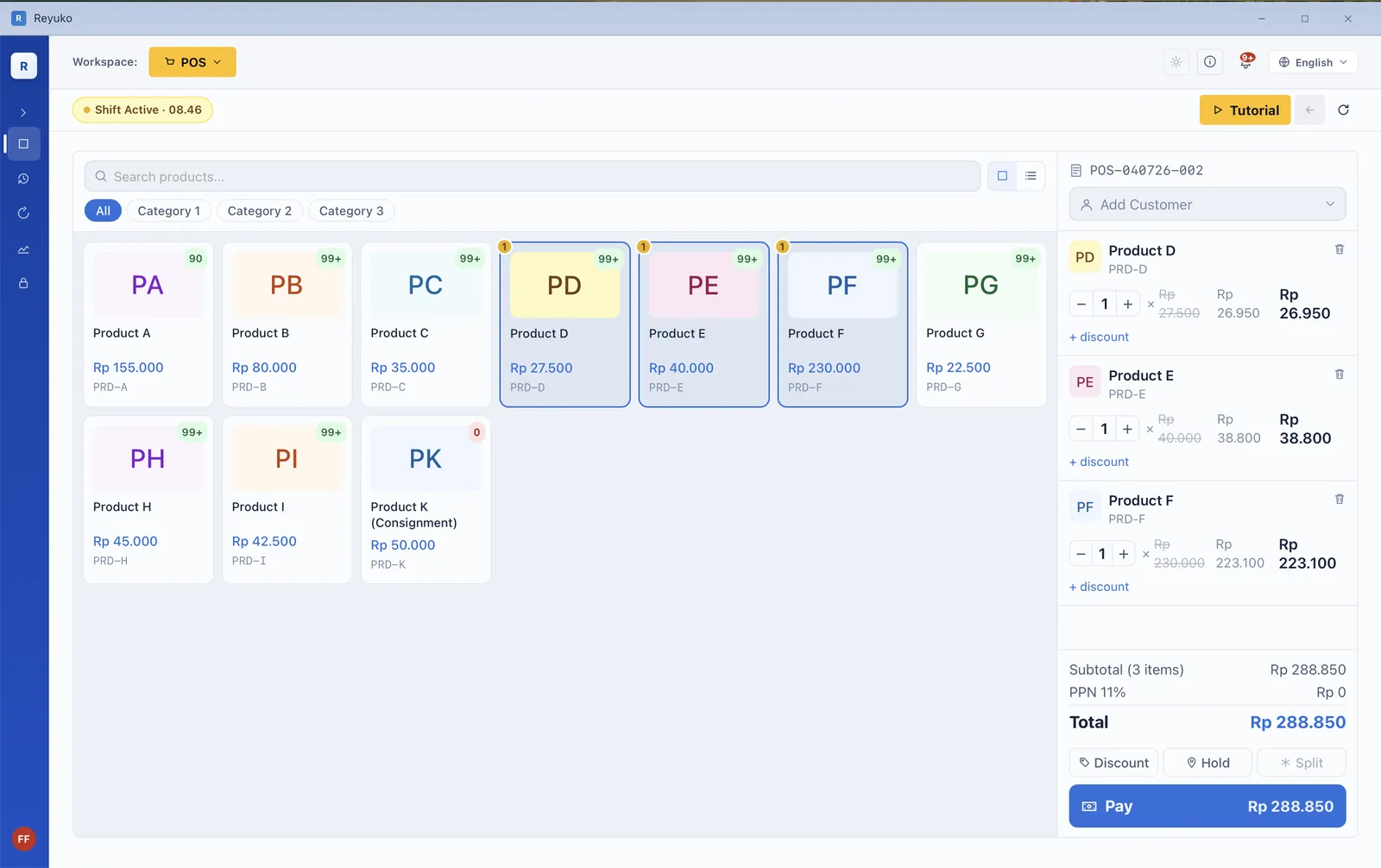
  • Cashier shifts — open with a float, close with a counted drawer and a variance.
  • Thermal receipts at 58 mm and 80 mm, plus A4/PDF invoices from the same sale.
  • Cash sale or Pay Later, the latter creating a proper receivable against a named customer.
  • Held orders — park a cart, serve the next customer, come back to it.
  • Split payments across methods on a single sale.
  • Returns at the counter, reversing stock and revenue.
  • Group products and category filters for fast ringing.
  • Works offline, because the shop cannot stop when the connection does.
Point of sale screen with product grid, cart and running sale total
Product grid, cart, running total — and an open shift in the header.
Module 05

Products & services

Twelve product types, because a rental is not a widget

What an item is decides how it posts. A stocked good, a service, a rented asset, a subscription and a bundle all behave differently in the ledger, and Reyuko models that difference instead of flattening it — the type you pick drives the journal that gets written.
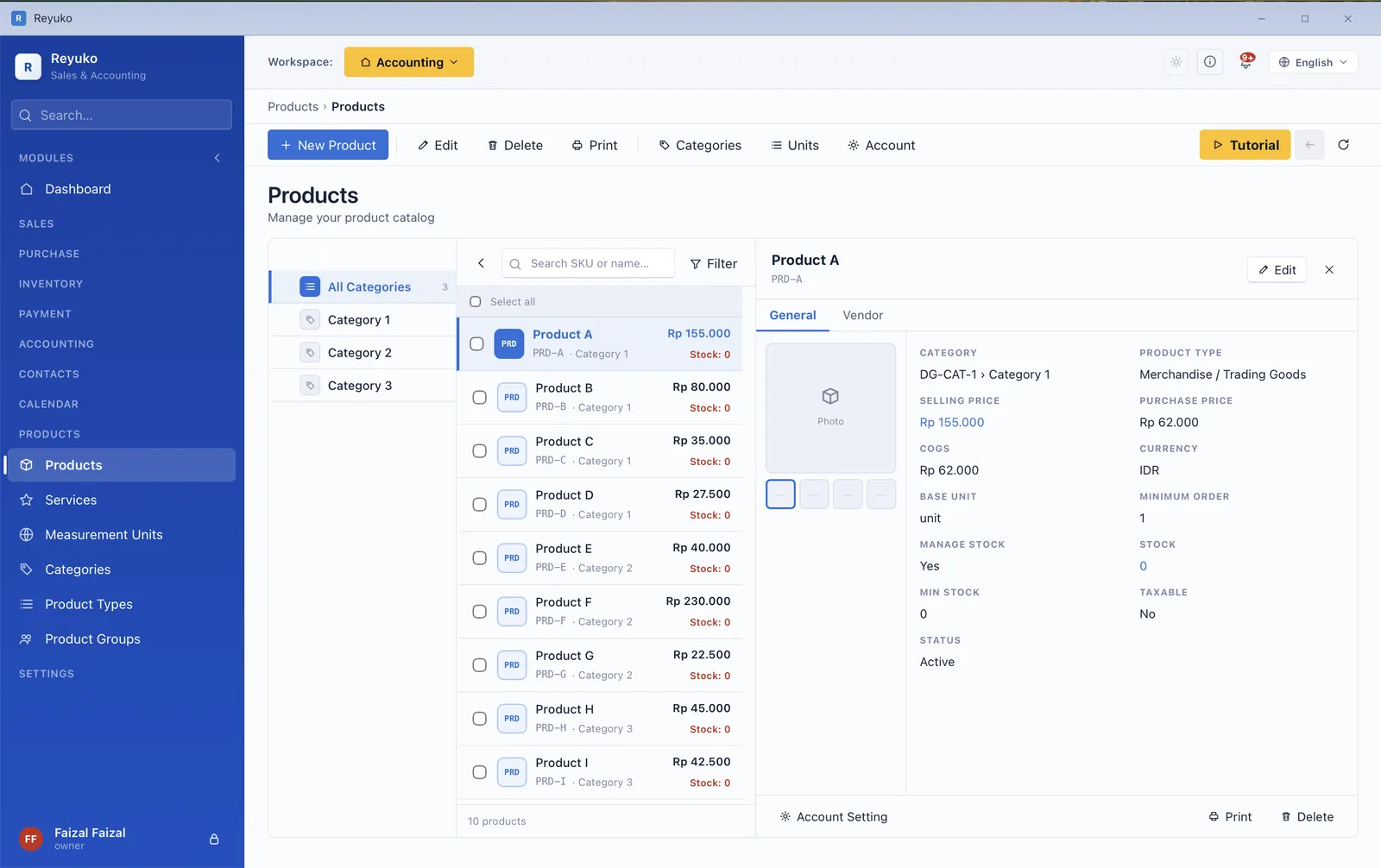
  • 12 product types set by a checkbox system — stocked, service, asset, rental, subscription, bundle and more.
  • Categories, groups and units, with unit conversion between purchase and sales units.
  • Four-tier pricing with date windows — a promotional price that starts and stops on its own.
  • A discount hierarchy resolved in a defined order: contact, category, product.
  • Cost of goods method per item, feeding the COGS engine.
  • Per-item tax, stock alert thresholds, images, and preferred vendors.
  • Posting accounts per product, so revenue and COGS land where your accountant expects.
  • Bills of materials attaching component items to a manufactured one.
Product catalog showing an item's type, prices, cost of goods, tax and stock settings
An item's type, prices, COGS, tax and stock settings in one place.
Module 06

Contacts

One record, whatever that person is to you

A contact is often a customer and a vendor and an employee at once. Rather than three disconnected records, Reyuko keeps one and lets classifications decide which behaviours switch on — receivable terms, vendor withholding, payroll details.
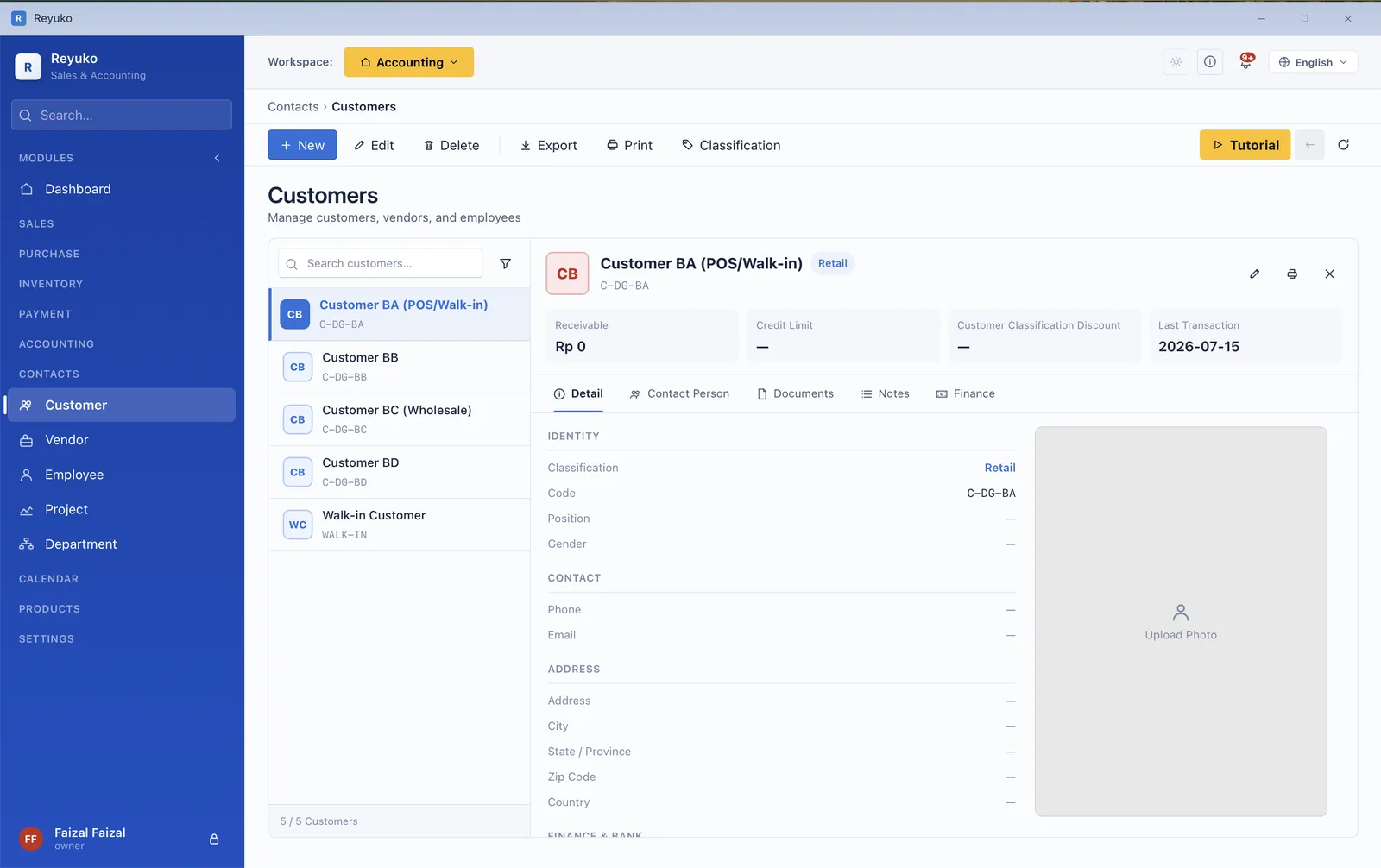
  • Classifications as the control centre: customer, vendor, employee, or several at once.
  • Per-customer discount resolved against category and product rules.
  • Detail tabs for sales, purchases, payments, documents, notes and photos on the record itself.
  • Departments and projects as reporting dimensions carried into the ledger.
  • Employee, personal and salary tabs when the contact is staff.
  • Map preview of the address, and a photo on the record.
  • Import from a spreadsheet or sync with Google Contacts.
Customer record showing classification, receivable, discount and the detail tabs
Classification, receivable, discount — and the detail tabs beneath.
Module 07

Payments, receivables & payables

Who owes you, who you owe, and when

Aging is where a business finds out whether its profit is real. Reyuko ages both sides, tracks part-payments against the specific invoice, and handles the instruments small businesses actually use — including the ones most software pretends do not exist.
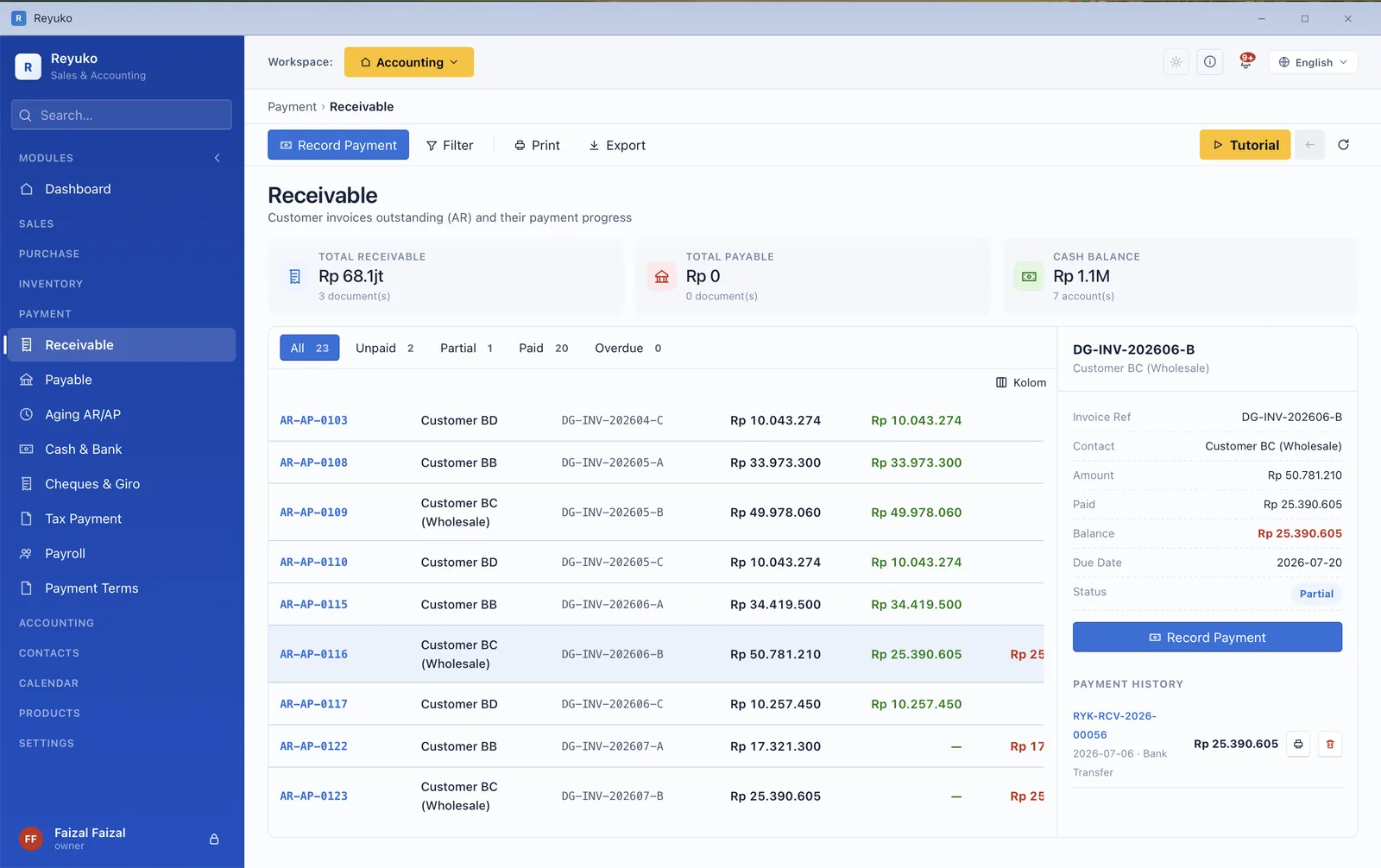
  • Receivable and payable aging with buckets and per-invoice payment progress.
  • Payment terms and multi-instalment schedules, aged per instalment rather than per document.
  • Cheques and giro, incoming and outgoing, with their own clearing states and accounts.
  • Cash and bank workspace — direct entries, and transfers between accounts.
  • Early-payment discounts and late penalties.
  • Multi-document settlement — one payment closing several invoices.
  • Realised FX gain and loss calculated at settlement, not guessed.Backup
  • Doubtful-receivable provisions with the bad-debt journal written for you.
Receivables with aging tabs and per-invoice payment progress
Aging tabs, with how far each invoice has been paid.
Module 08

Accounting

A real ledger, not a category list

Everything above eventually lands here. The chart of accounts is four levels deep, every document writes a balanced journal, and a closed period refuses to accept a posting — which is the difference between books you can file from and a spreadsheet with better fonts.
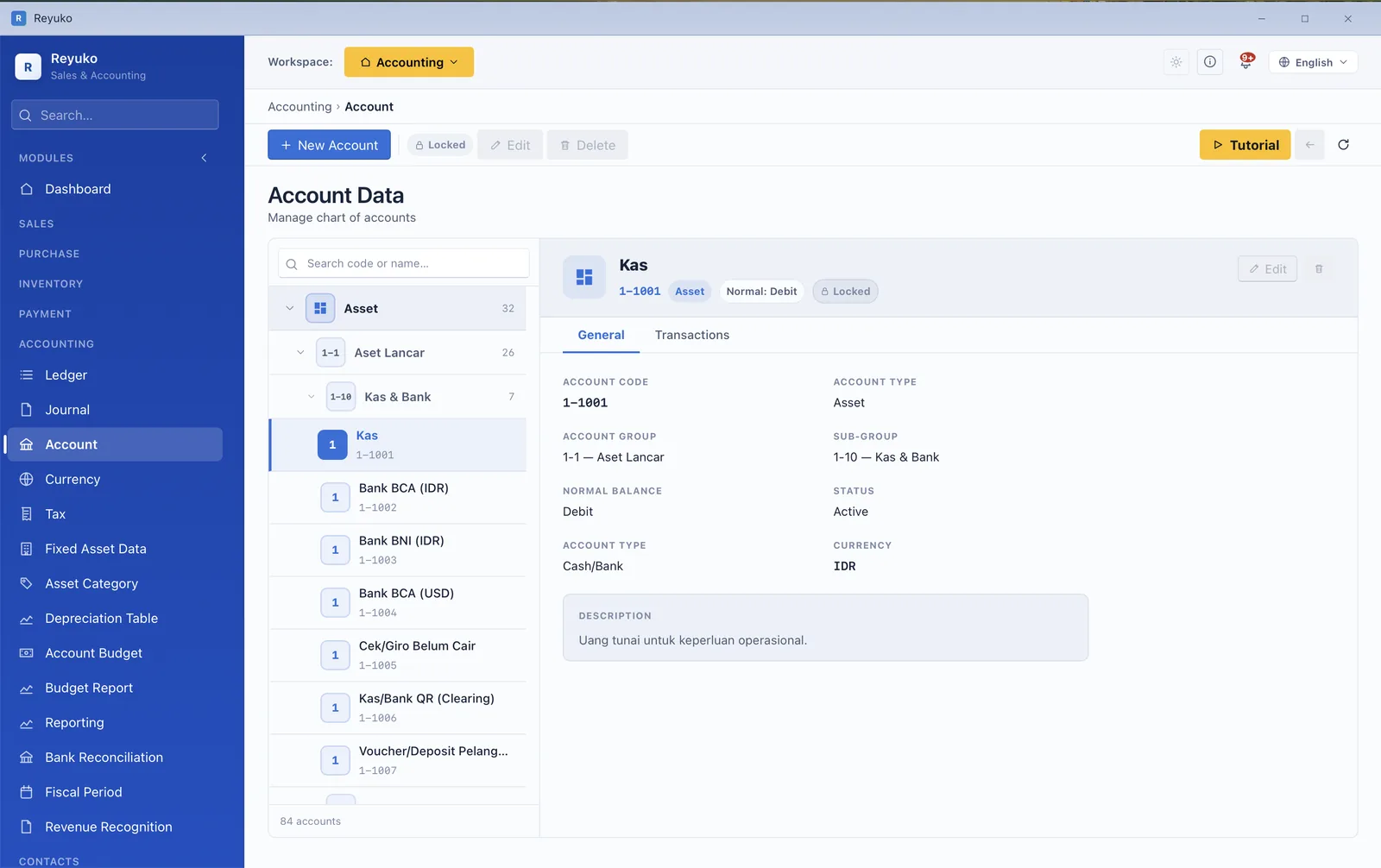
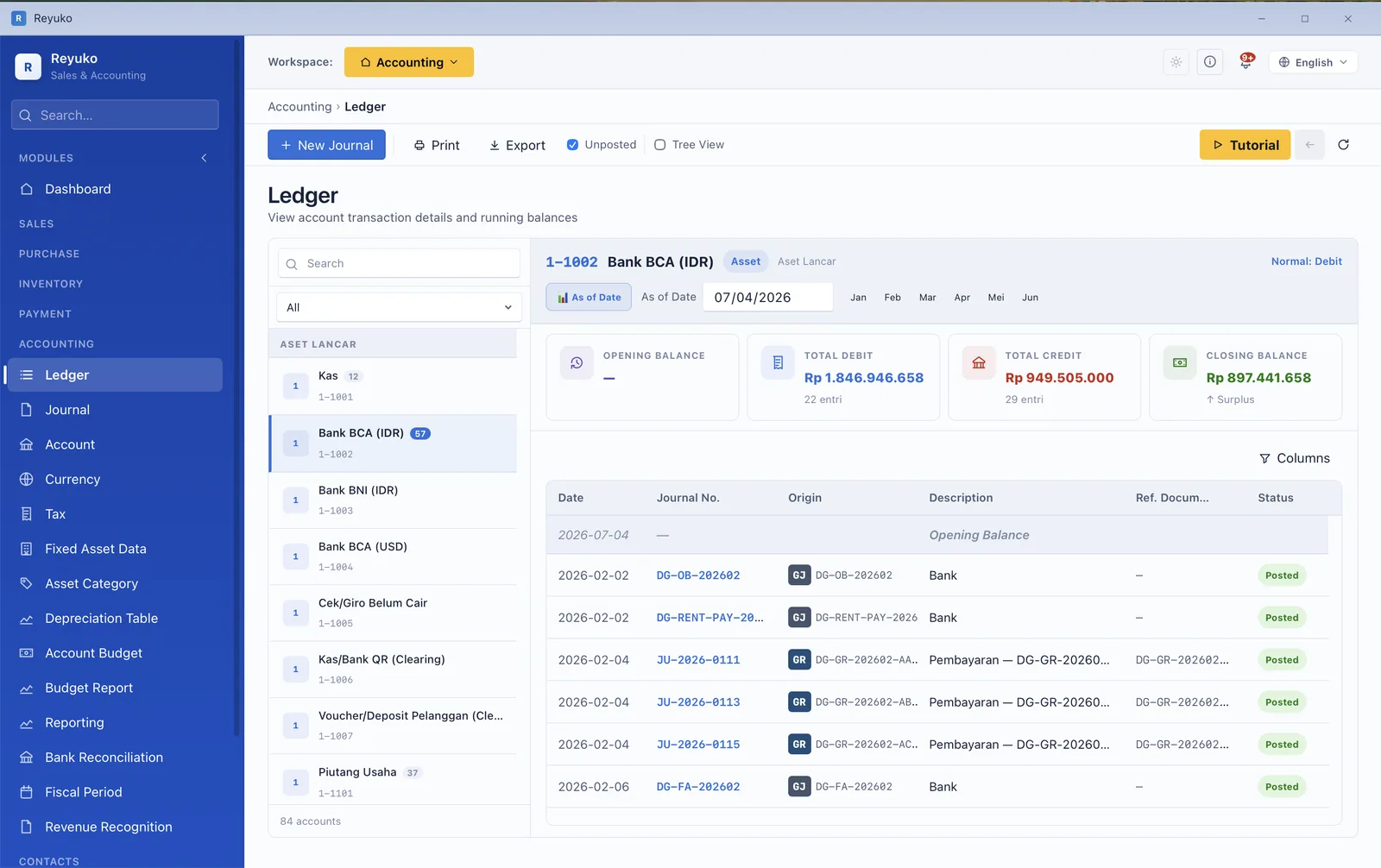
  • Four-level chart of accounts under five fixed top categories, browsable as a list or a tree.
  • General journal and general ledger, with running balances and drill-through to the source document.
  • Manual journals and reversing entries for accruals.
  • Opening balances entered in stages during setup, then locked.
  • Fixed assets: registration, mid-month acquisition handling, part-depreciated entry, disposal and sale, plus a lifecycle log.
  • Depreciation by table-driven method, tied to asset category, adjusted when the schedule changes.
  • Bank reconciliation with CSV import and automatic matching.
  • Fiscal periods, period close and year-end closing, including corporate income tax.
  • Budgets per account, per department.Backup
  • Multi-currency with rate history, per-currency default accounts and revaluation.Backup
  • Revenue recognition for deferred income such as subscriptions.
  • Transaction codes and department/project dimensions through the ledger.
Chart of accounts tree with an account's detail panel
The chart of accounts as a tree, with account detail.
General ledger showing an account's entries and running balance
The general ledger — entries and a running balance.
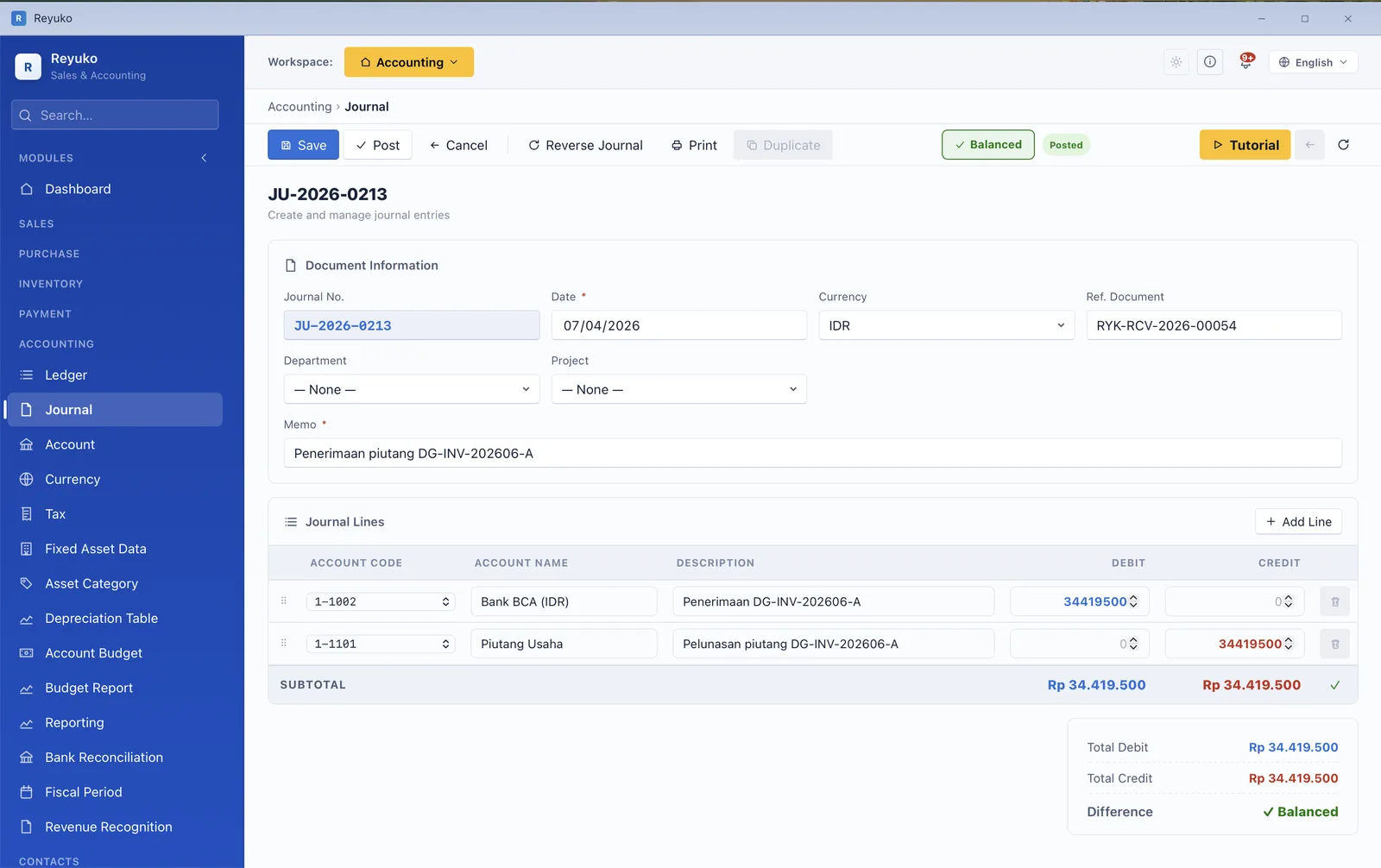
A balanced journal entry with debit and credit lines
A journal entry, balanced before it will save.
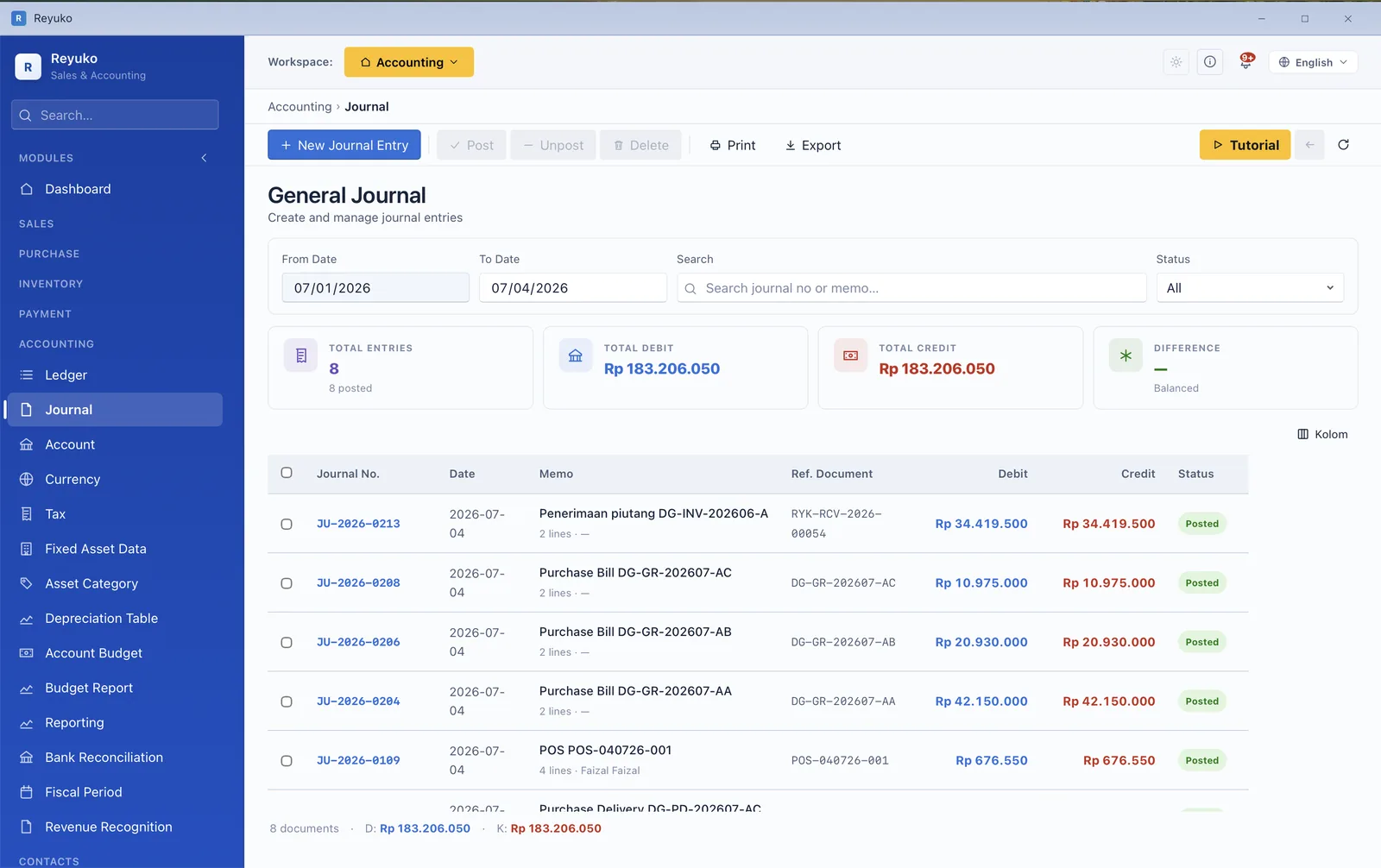
General journal list with total debit and credit shown in balance
The journal list, with total debit and credit in agreement.
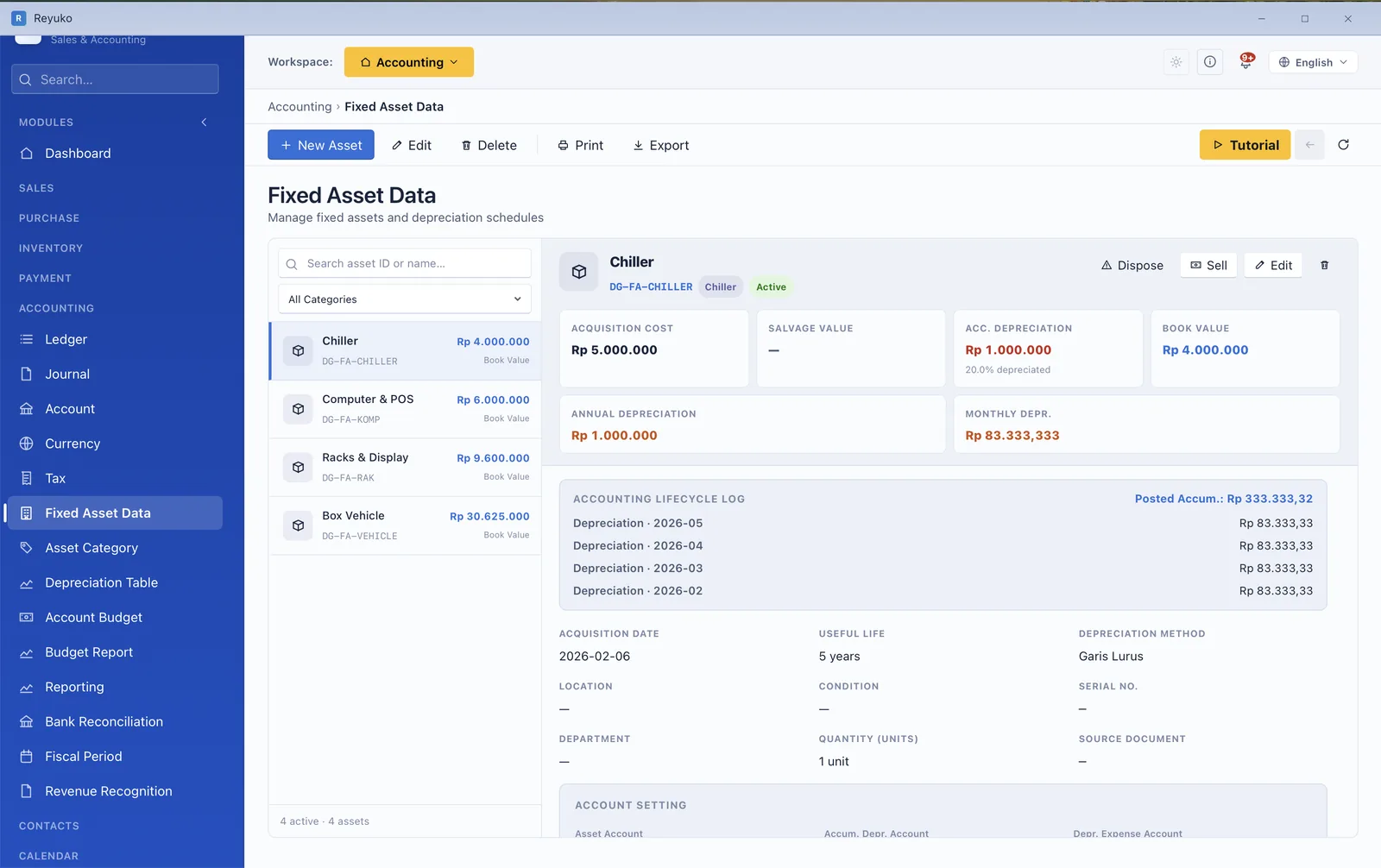
Fixed asset record with cost, depreciation figures and lifecycle log
A fixed asset — cost, depreciation, and its lifecycle log.
Module 09

Reporting

Statements, comparisons, ratios — and their limits

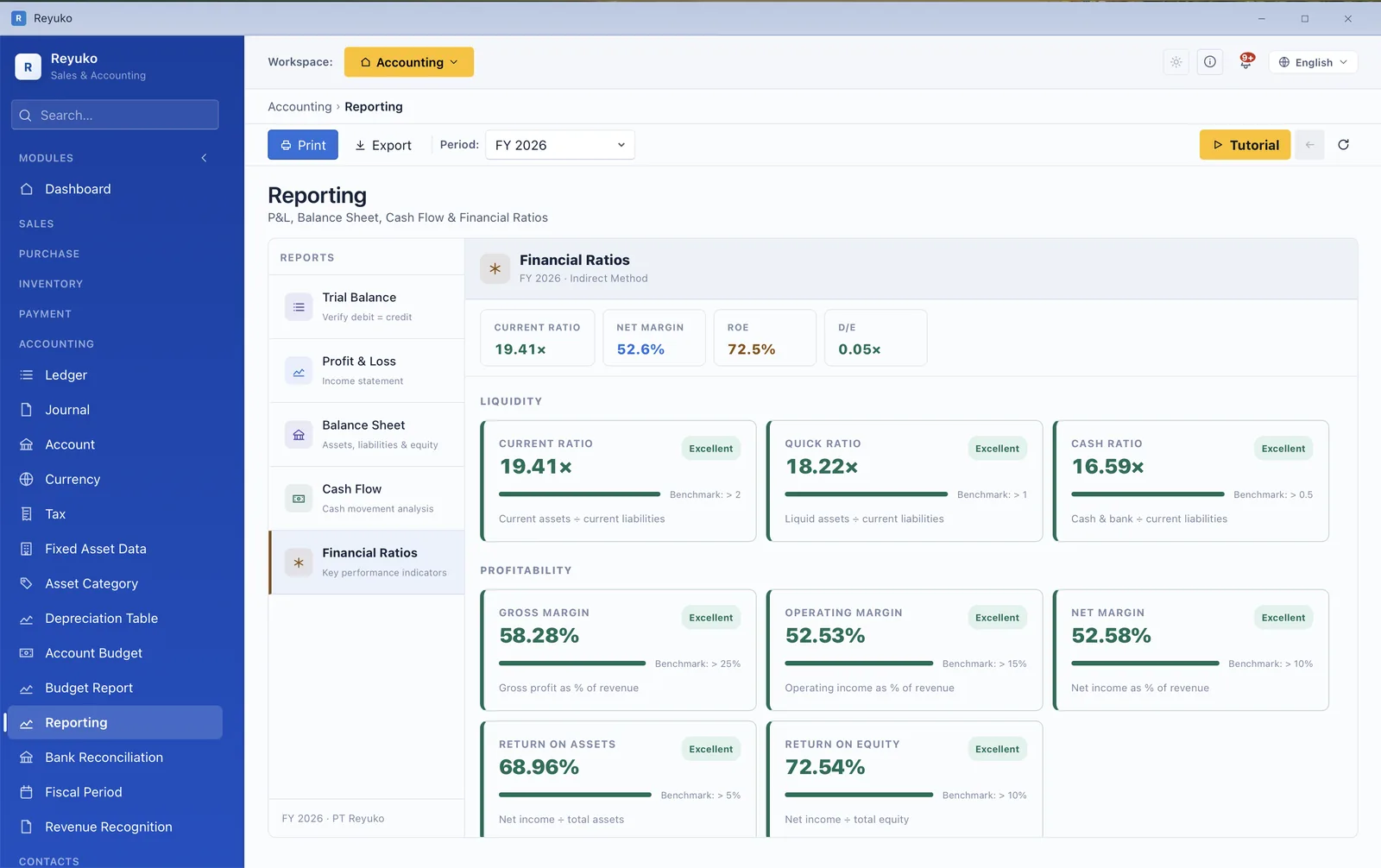
Reports are generated from the ledger rather than re-keyed into it, so they agree with the books by construction. Every report prints and exports, and the manual is candid about what a ratio can and cannot tell you — which is more than most software bothers with.
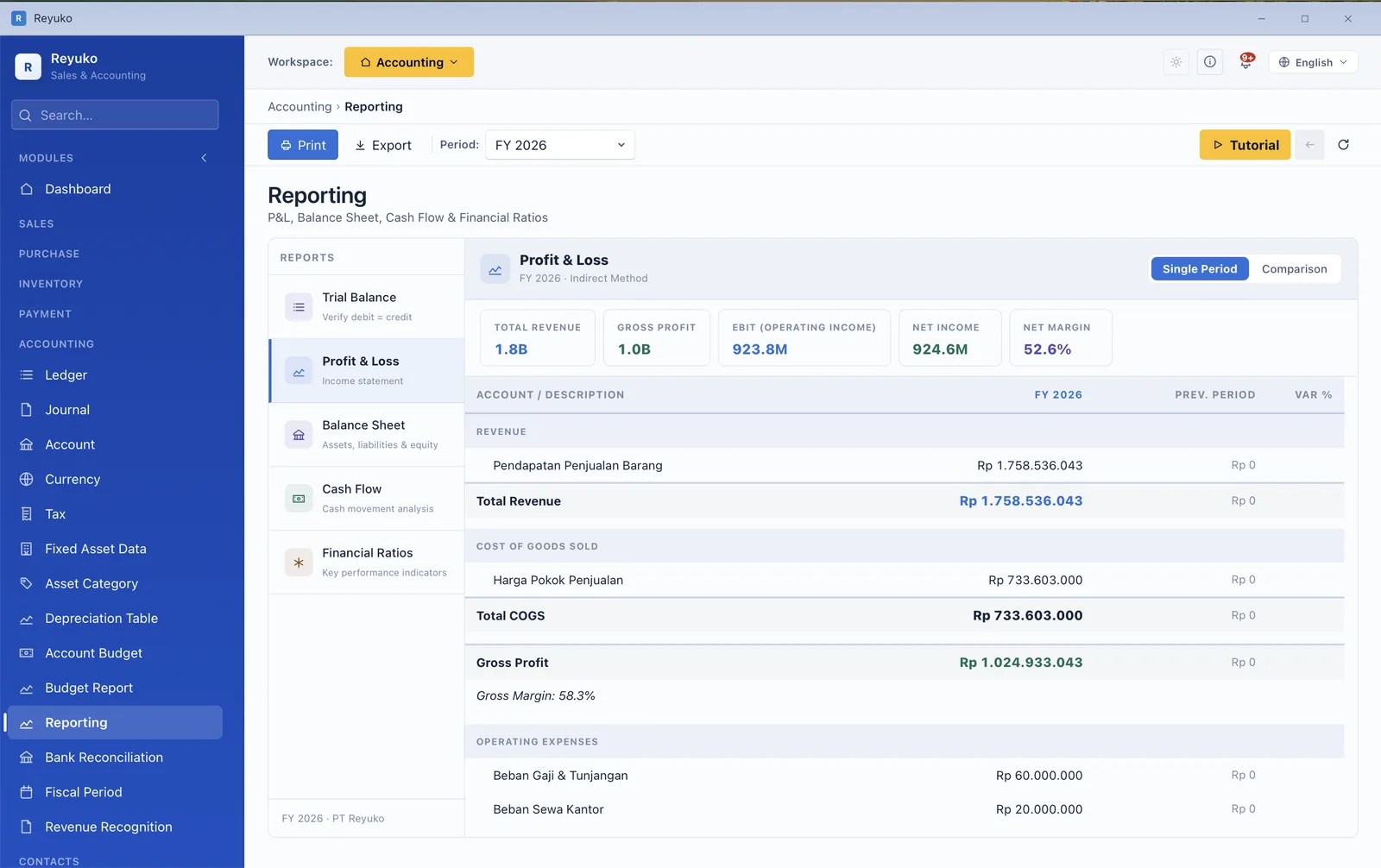
  • Profit & loss, balance sheet and cash flow, single period or compared across periods.
  • Trial balance, and a general ledger report per account.
  • Financial ratios scored against benchmarks, with the caveats stated.
  • Budget vs actual with variance, month by month.Backup
  • Period comparison and custom as-of dates, including annual roll-ups.
  • Operational reports — sales by customer, by product, by period.
  • Aging reports for both receivable and payable.
  • Print and export on every report, with a consistent print toolbar.
Profit and loss report with the report list and single-period versus comparison toggle
Profit & loss, with the single-period / comparison toggle.
Financial ratios listed with benchmark and status
Ratios, each against the benchmark it should clear.
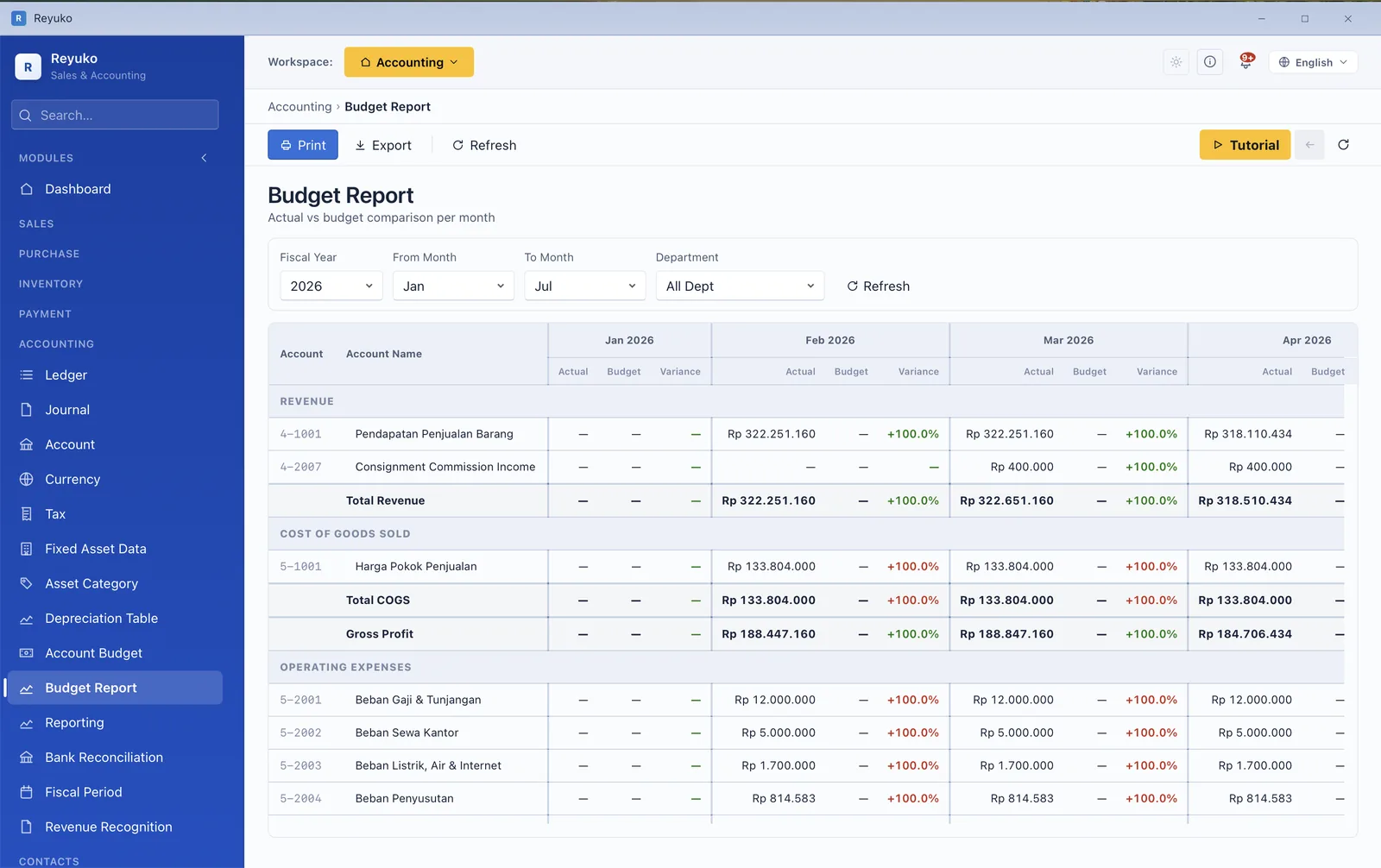
Budget report showing actual versus budget versus variance month by month
Budget vs actual vs variance, month by month.
Module 10

Tax

Computed from the books, in your country's rules

VAT and withholding are not a spreadsheet you rebuild each month — they come out of the transactions that already happened. Reyuko carries a locale per country, so the rates, thresholds and account structure are your jurisdiction's, not a generic template.
  • VAT / GST / sales tax flowing from documents to a period settlement.
  • Withholding tax across 23 countries, with variants per service type, thresholds and rate bands.Backup Plus
  • Both directions of withholding — when you deduct from a vendor, and when a client deducts from you.
  • Tax return builder and return centre, with a filing dashboard.Backup Plus
  • E-invoice monitoring where the jurisdiction requires it.Backup Plus
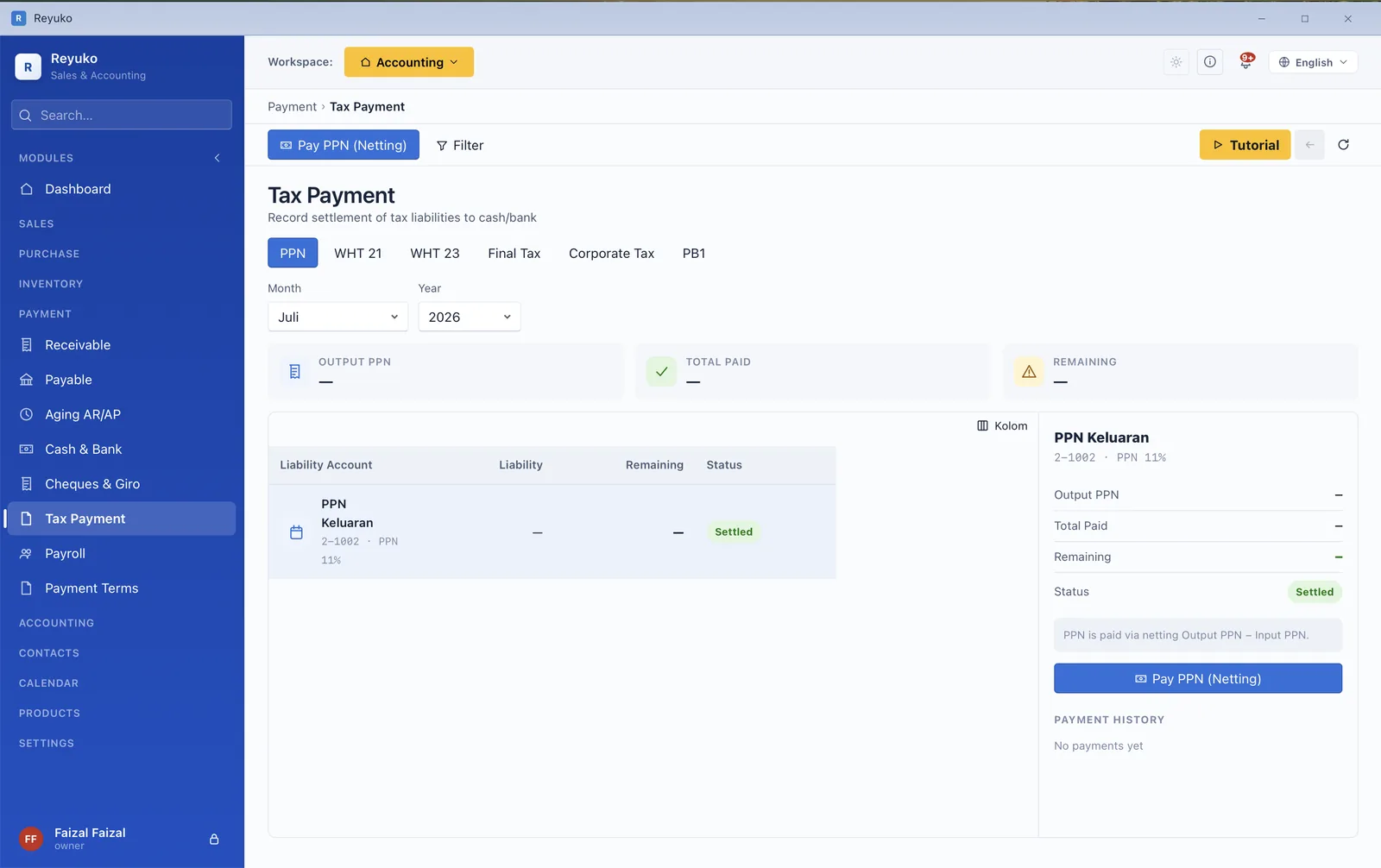
  • Tax payment screens for VAT and withholding, reconciled to the period.
  • Corporate income tax at year-end closing, with the entity's income scheme.
  • Taxable-entity toggle that gates VAT behaviour, including at the POS.
Tax payment screen with VAT and withholding tabs and the period settlement
VAT and withholding tabs, settled per period.
Module 11

Payroll & HR

Statutory contributions calculated, not typed

This is the sharpest line between Reyuko and its nearest competitor. A generic payroll engine asks you for the numbers; a statutory one knows them — the bands, the ceilings, the employer share — and writes the journal and the remittance behind it.
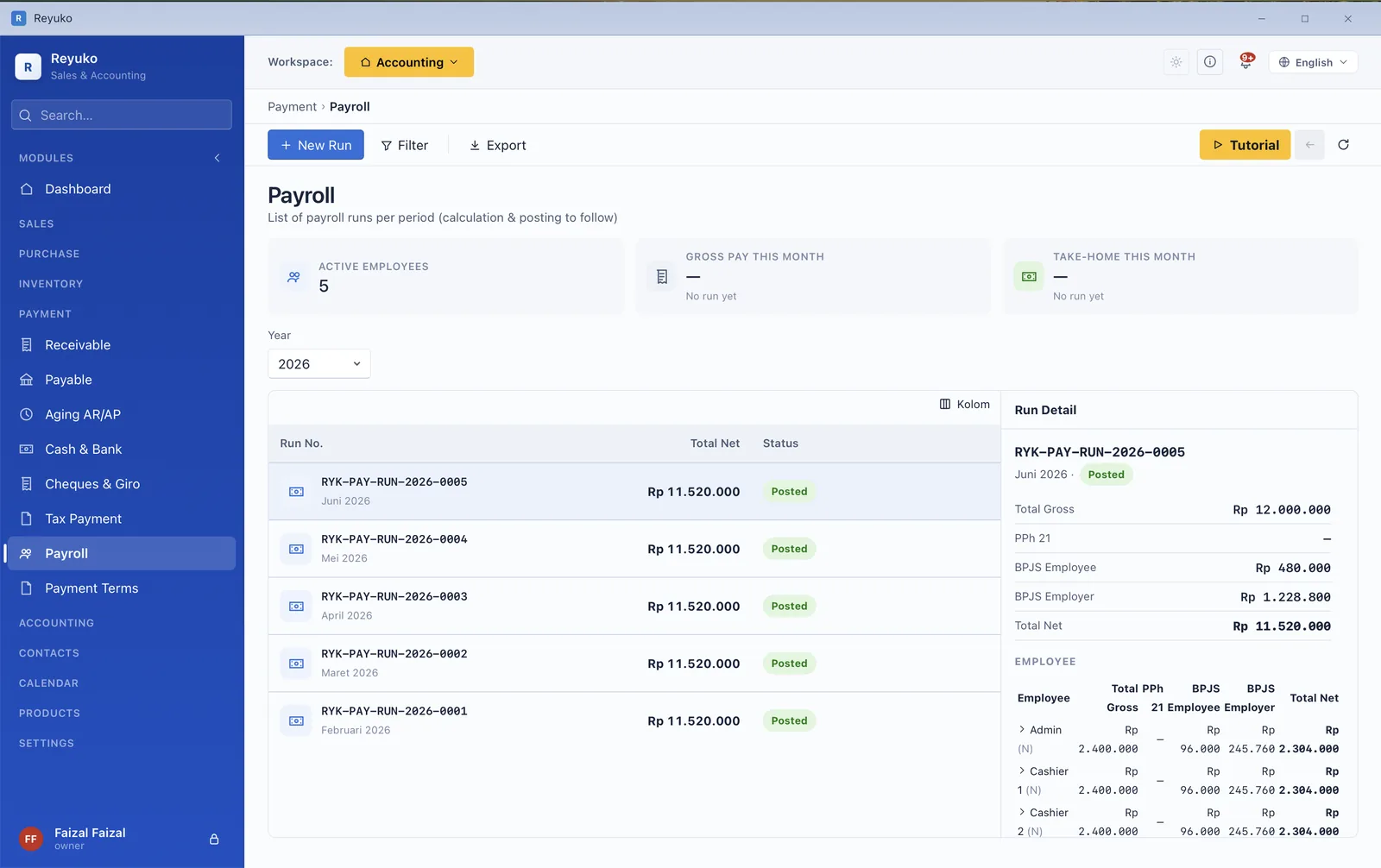
  • Indonesia — PPh 21 with TER, plus BPJS health and employment.Backup Plus
  • Singapore — CPF and SDL.Backup Plus
  • Malaysia — EPF, SOCSO, EIS and PCB.Backup Plus
  • Payroll runs with a per-employee breakdown of gross, deductions and net.
  • Payslips generated and printable per employee.
  • Salary payment posting to the ledger and the payable side together.
  • Attendance and leave — types, requests, balances.
  • Cash advances and reimbursements, with approval and repayment tracking.
Payroll run listing employees with gross pay, BPJS and PPh 21 breakdown
A payroll run — gross, statutory deductions, and the tax behind them.
Module 12

Document workspace

The paperwork, attached to the transaction it belongs to

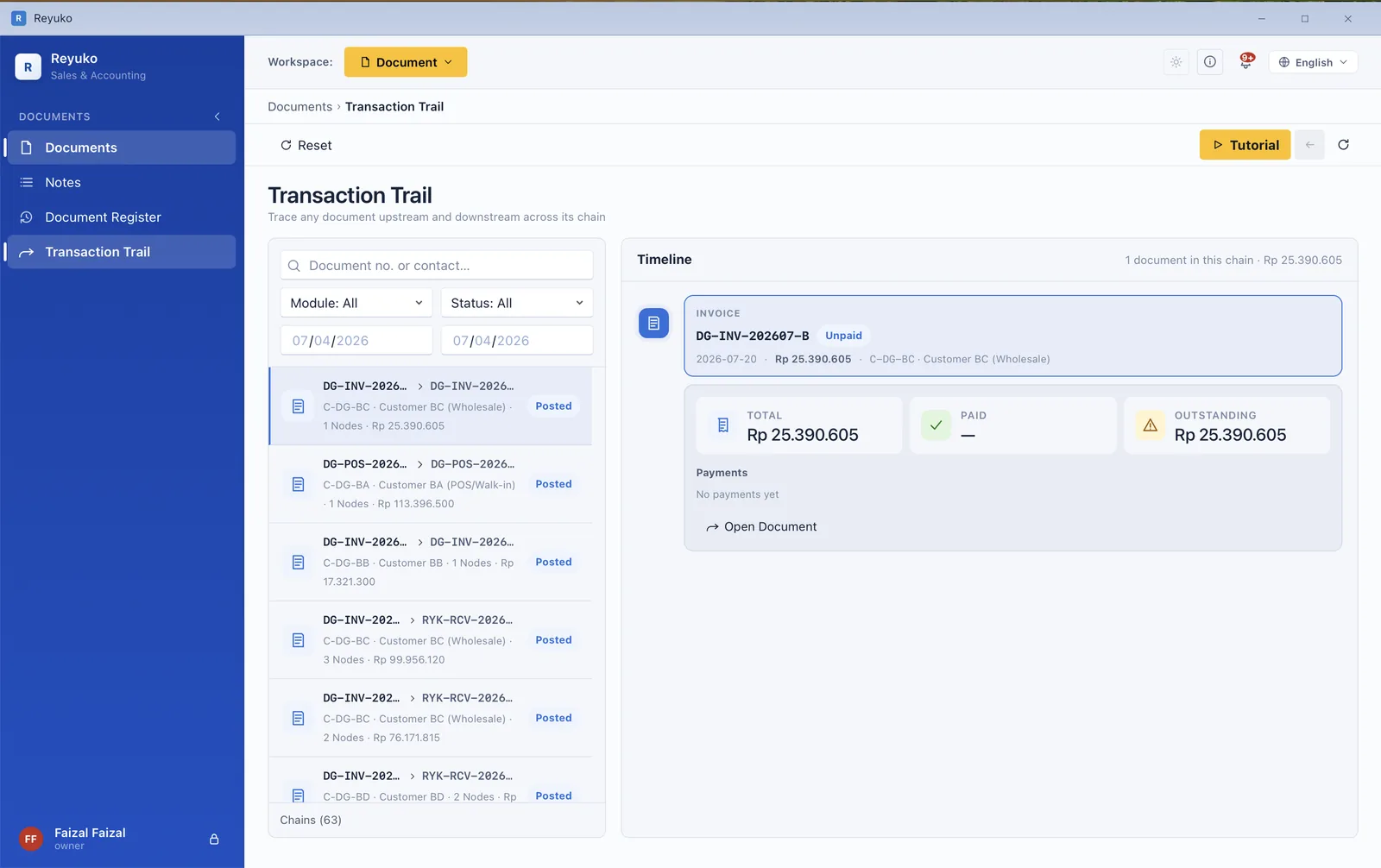
Contracts, receipts and internal notes normally live in a shared drive, disconnected from the entry they explain. Here they sit on the record — and the Transaction Trail walks any document up and down its chain to show what caused it and what finally settled it.
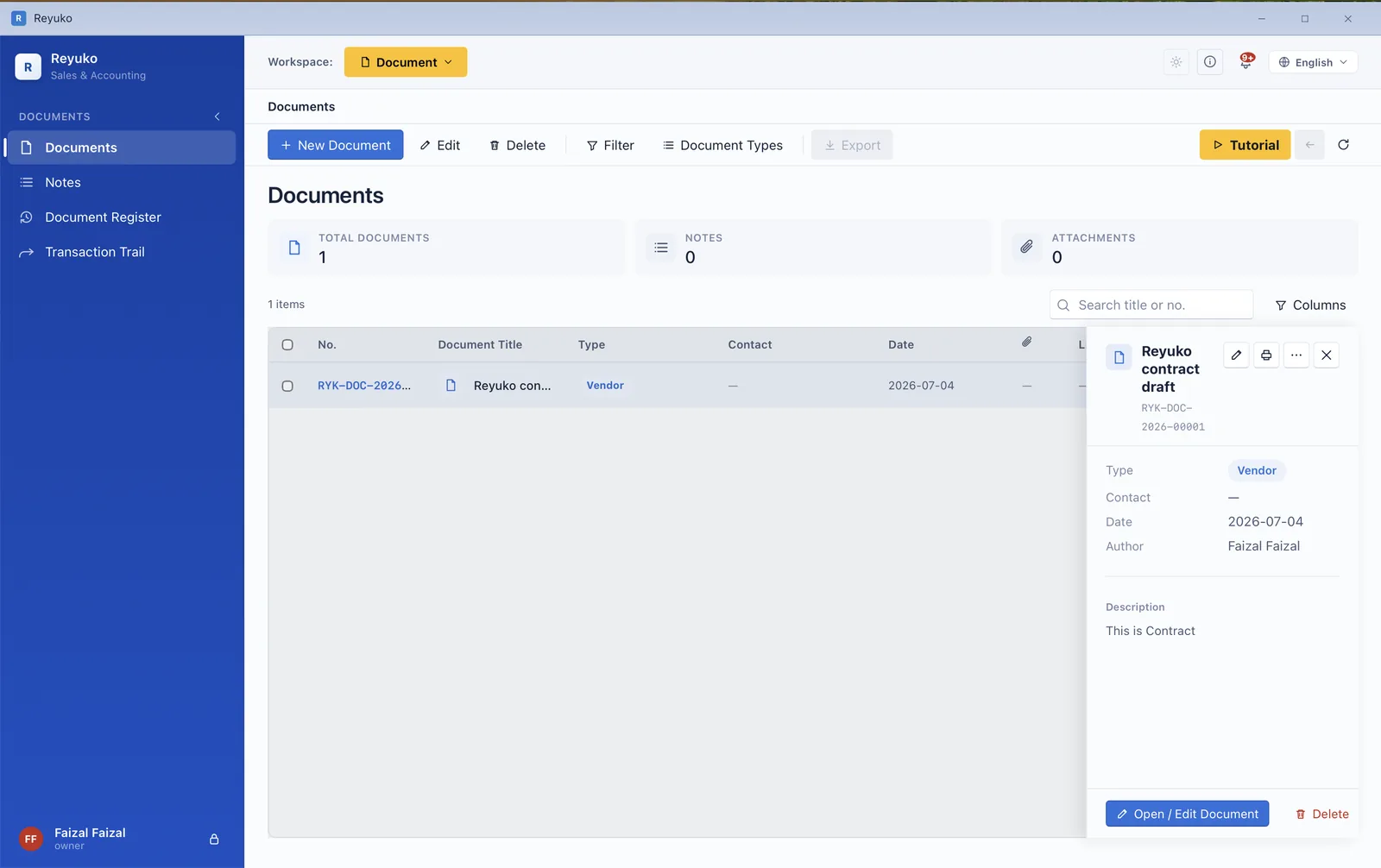
  • Document register with types, attachments and a detail panel.
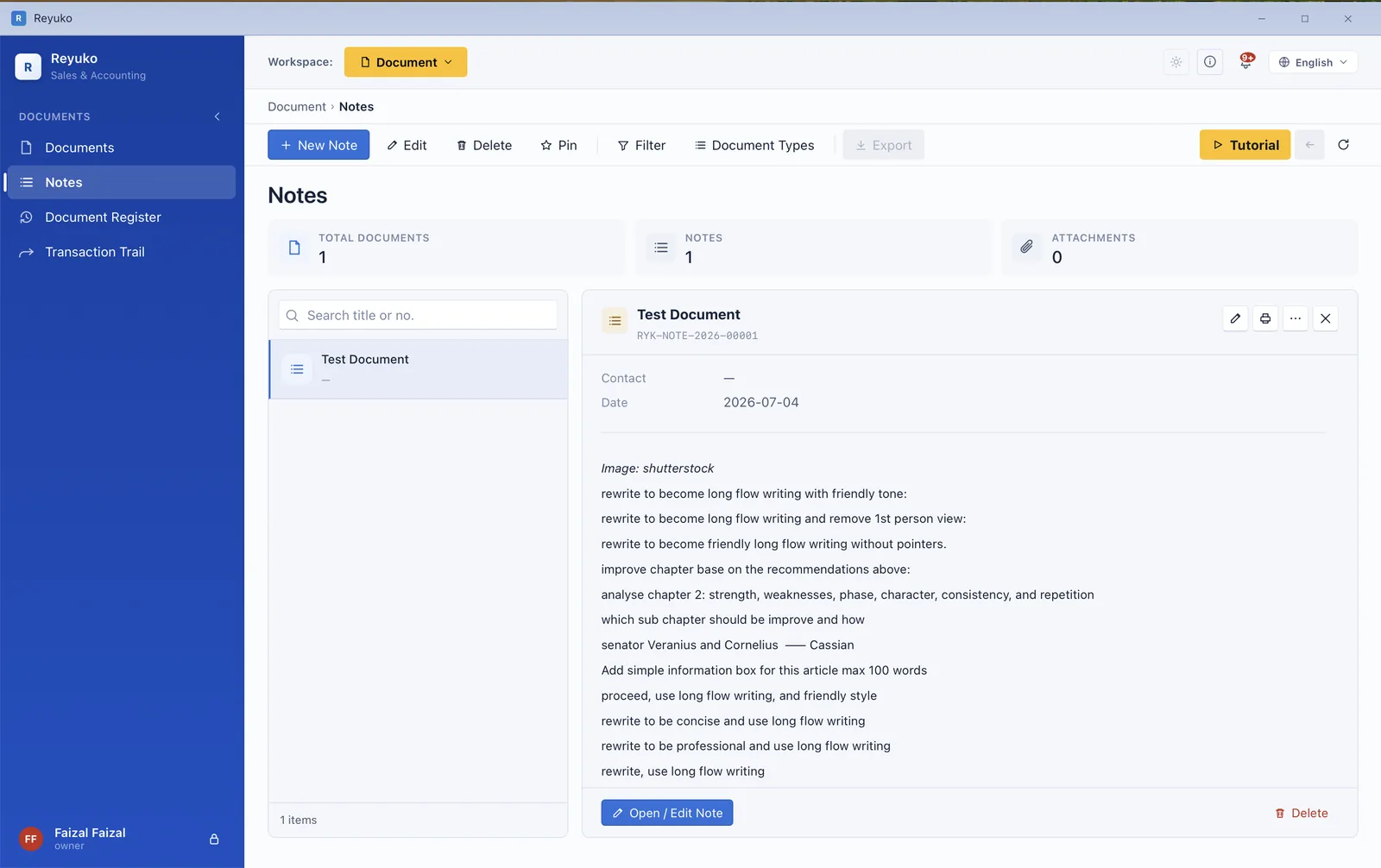
  • Rich-text internal notes tied to contacts and transactions.
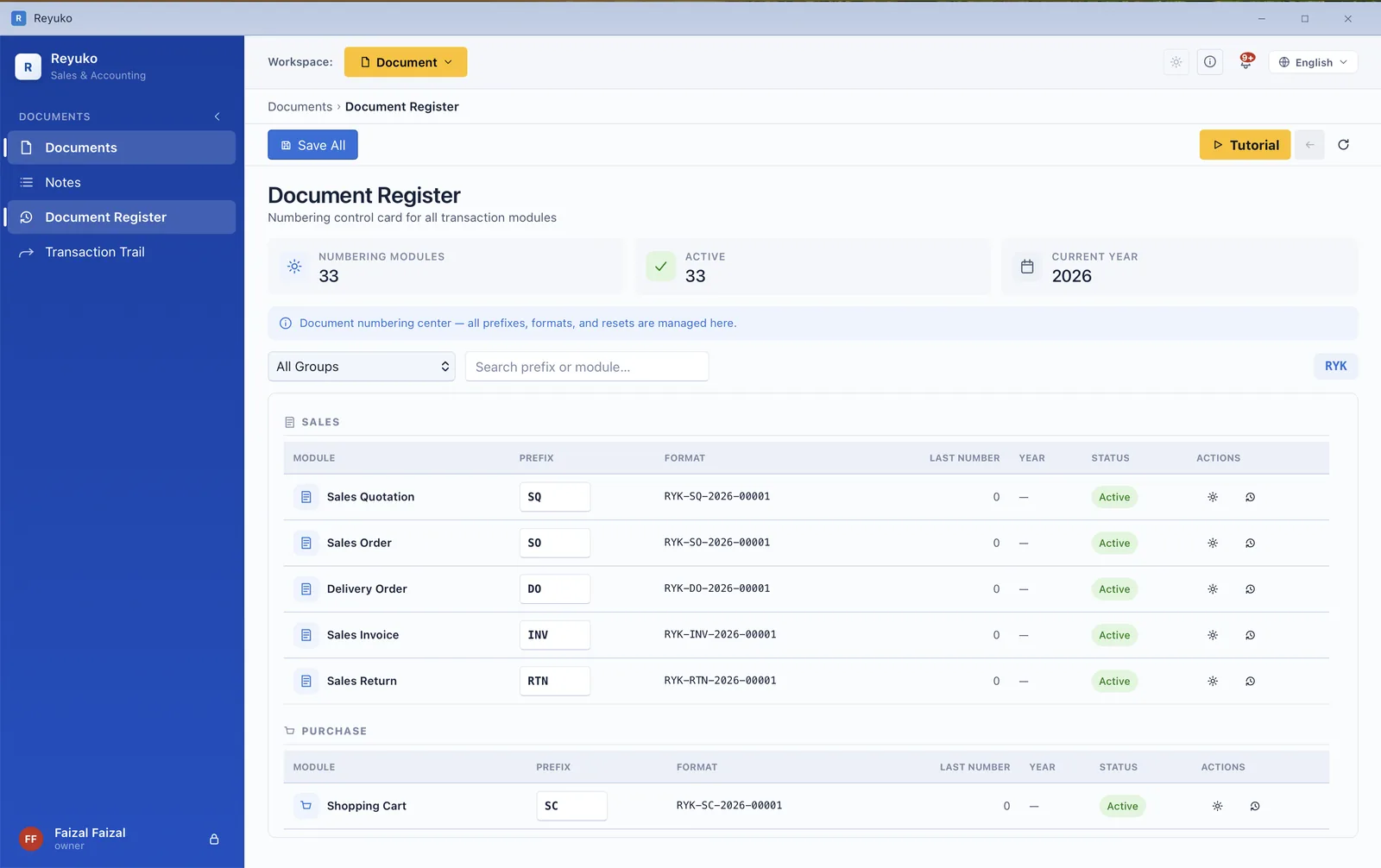
  • Kartu Kendali — the numbering control card: prefixes, formats and counters per module.
  • Automatic document numbering that survives deletions without leaving gaps you cannot explain.
  • Transaction Trail — the full upstream and downstream chain with settlement status.
  • Attachments on documents and notes, kept with the record.
  • Print and PDF from the same toolbar as everything else.
  • Activity log of who changed what.
Transaction trail showing a document's full chain with settlement status
Transaction Trail — the whole chain, and what settled it.
Documents list with a record's detail and attachments
The document register, with detail and attachments.
Document numbering register showing prefixes, formats and counters per module
Kartu Kendali — numbering prefixes, formats and counters.
Rich-text internal note tied to a contact
A rich-text note, attached to the contact it concerns.
Module 13

Calendar & notifications

What is due, and what is booked out

Due dates, recurring documents and asset bookings on one month grid — and you execute a recurring transaction from the calendar itself rather than remembering to go and find it.
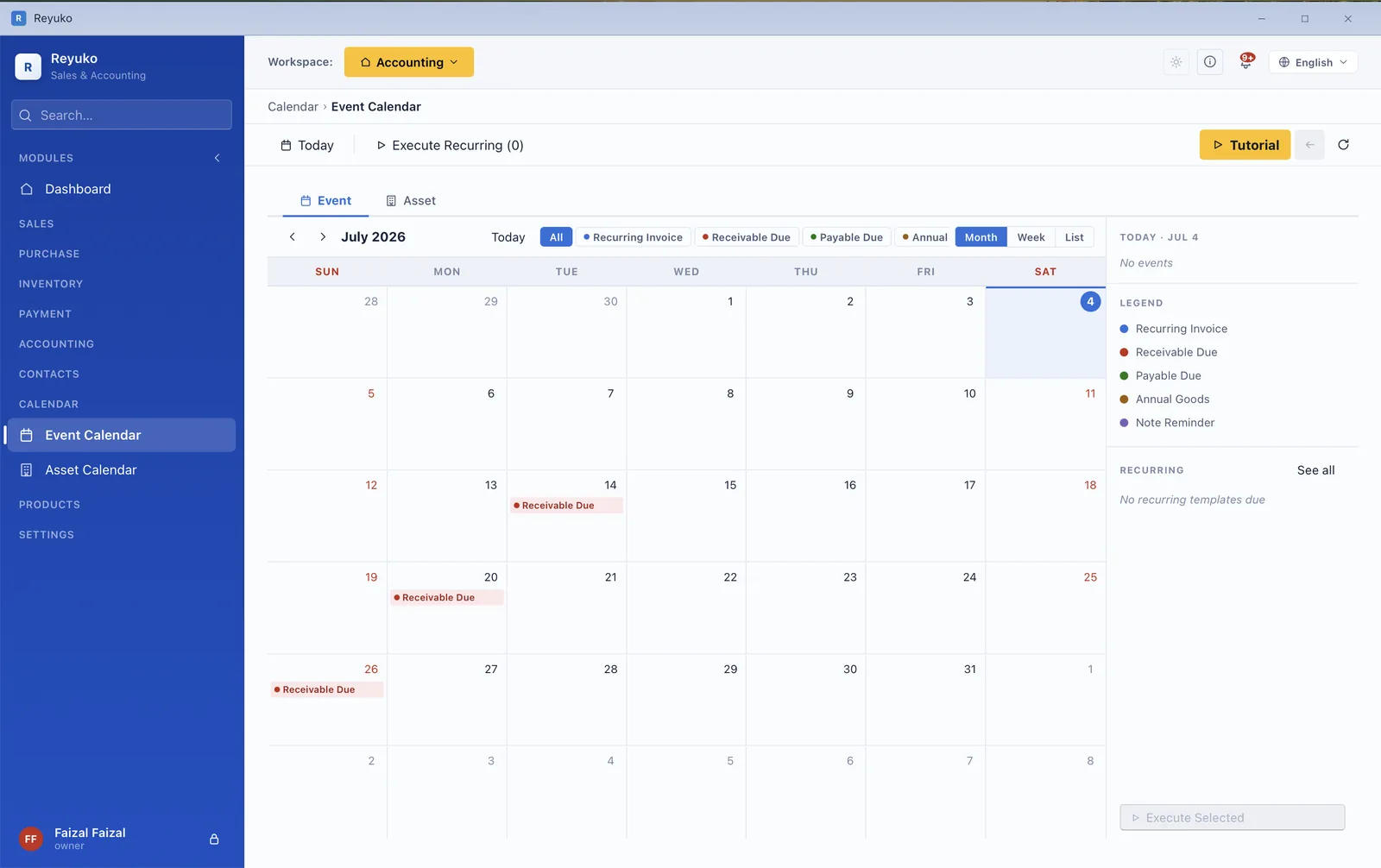
  • Due dates and recurring markers on the month view.
  • Execute recurring transactions straight from the calendar, with a review drawer first.
  • Asset calendar — bookings and loans for vehicles, rooms and equipment.
  • Notification bell collecting stock alerts, due invoices and period reminders.
  • Recurring templates for sales, purchases and subscription products.
Calendar showing due dates and recurring documents marked on the month grid
Due dates and recurring documents on the month grid.
Module 14

Email

A mailbox inside your books

Not "send invoice via SMTP" — an actual inbox you read and reply in, next to the transactions the mail is about. No competitor in our comparison can receive mail at all, free or paid.
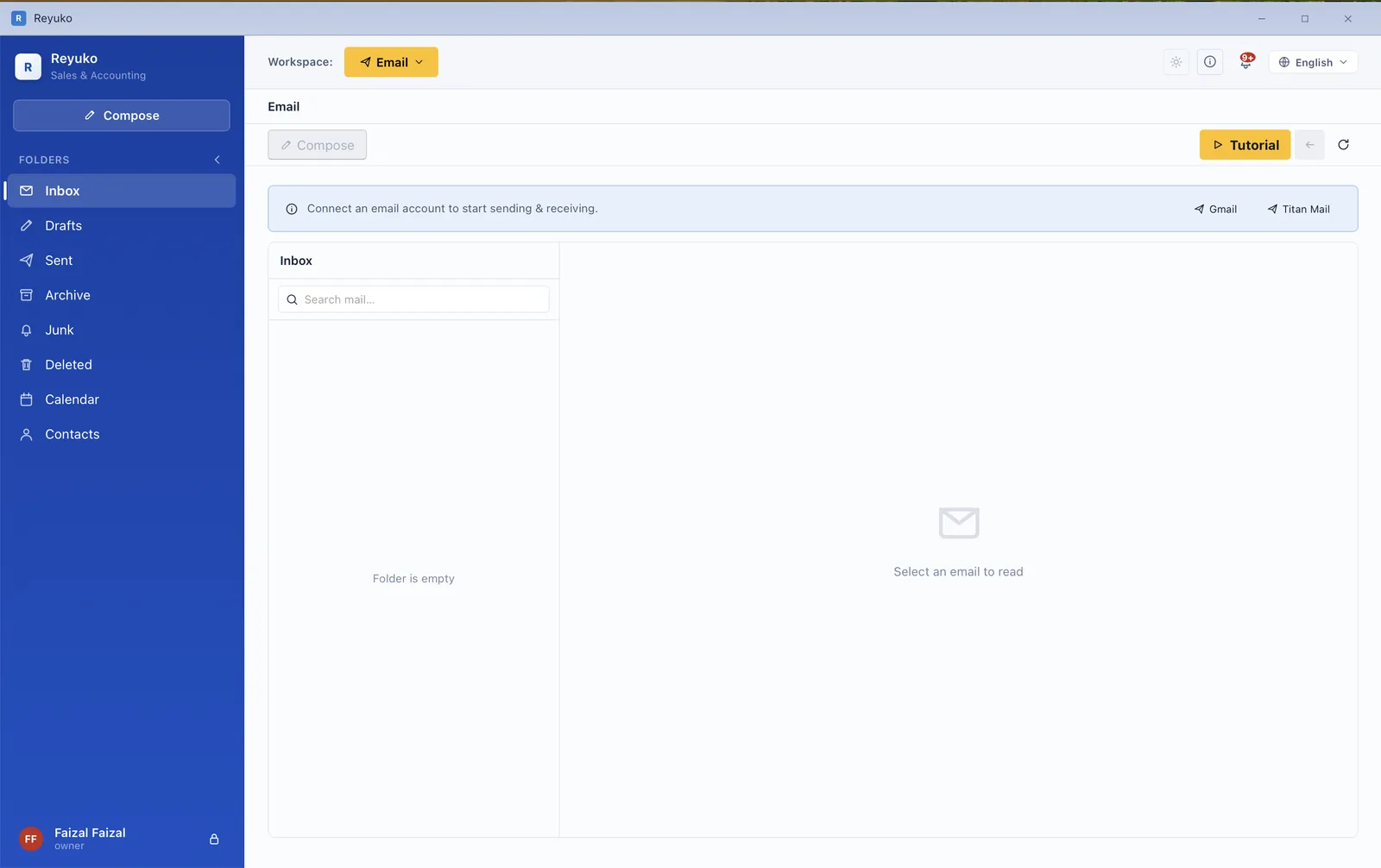
  • Inbox, read and reply, from a mailbox you connect.
  • Send a document straight from the transaction as a PDF, without exporting first.
  • Recipients autocompleted from the same contacts you invoice.
  • Contacts over CardDAV and calendar over CalDAV, so it works with more than one provider.
  • Gmail connection for accounts that use it.
  • Attachments preserved on the record, never swept up by housekeeping.
Built-in mail client inbox connected to a mailbox for sending and receiving
The built-in inbox — connect a mailbox, send and receive.
Module 15

Setup, settings & your data

Configured once, and yours to take away

Setup is a guided hub rather than a wall of forms, and the books it produces are a file on your own machine. Cloud backup is a convenience you can buy, not the only place your data is allowed to live.
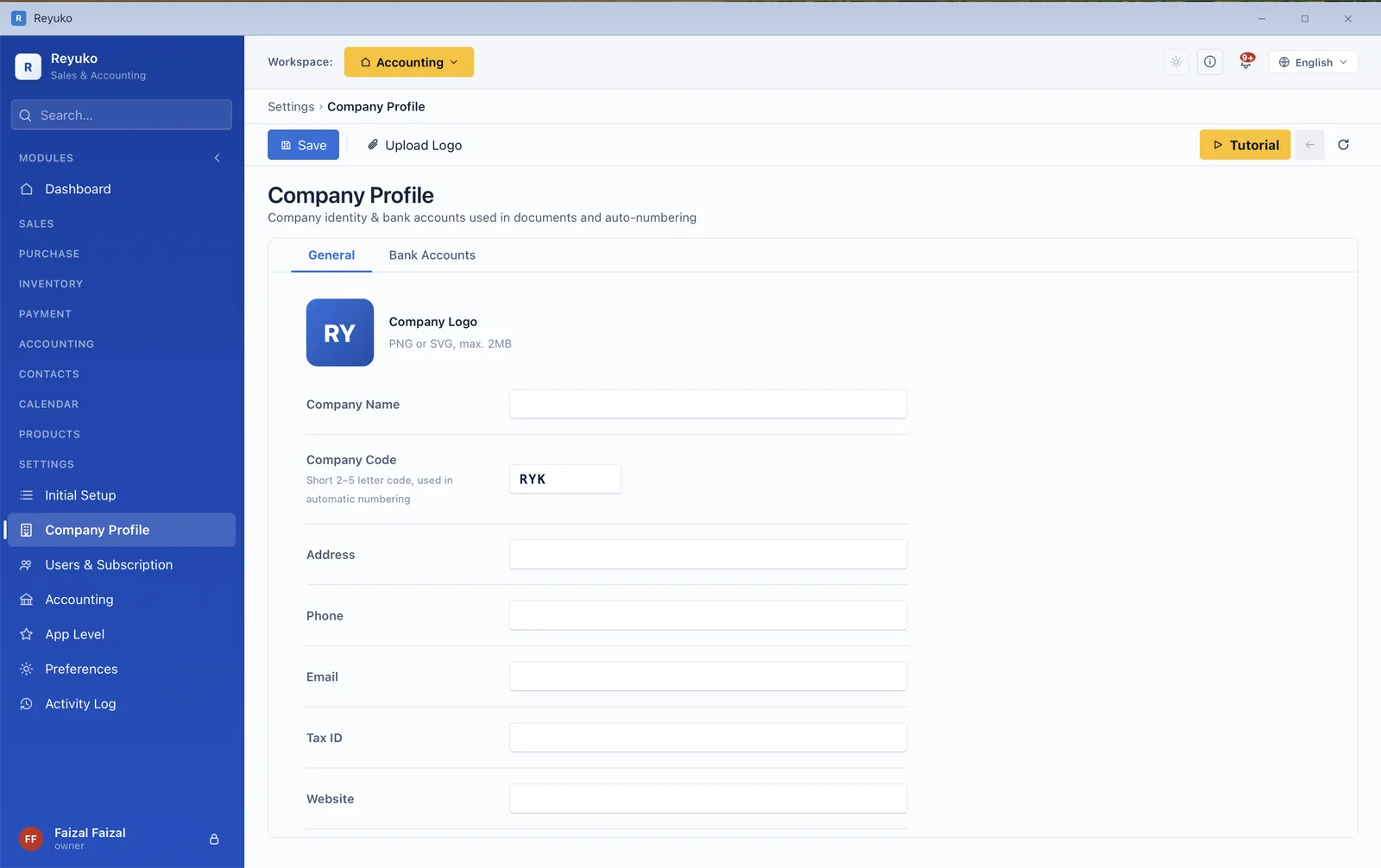
  • Setup hub — company profile, country and tax picker, opening balances in stages, spreadsheet import.
  • Company profile: name, logo, address, tax ID and bank accounts.
  • App level switch — Basic, Intermediate or Advanced, changeable later.
  • Module toggles, so you only see what you use.
  • Accounting settings: posting accounts, COGS method, fiscal period rules.
  • Users, roles and permissions.Backup
  • Currency table with rates and default accounts.Backup
  • Local backup and restore, plus encrypted cloud backup.Backup
  • Online mode (books on Reyuko's servers).Full Online
  • Practice mode — a sandbox that never touches your real books.
  • Activity log, and hard-delete controls with guards.
  • Import from spreadsheet for contacts, products and opening balances.
Company profile settings with name, logo, address, tax ID and bank accounts
Company profile — the details every document prints from.
Across every module

The things that apply everywhere

Three levels of depth

Basic hides the ledger behind cash-in and cash-out. Intermediate adds inventory, purchasing and the POS. Advanced exposes the full chart of accounts, budgets and dimensions. Switch whenever you like.

24 countries, 17 languages

Each locale ships its own chart of accounts, tax treatment and payroll rules. The interface runs in 17 languages including right-to-left.

Nine industry templates

Retail, wholesale, manufacturing, clinic, F&B, professional services, digital, rental and education — each opening with transactions already posted, so the reports have something to show.

Print, PDF and export everywhere

A consistent print toolbar on documents and reports, five document layouts, and CSV/Excel export from the lists.

Offline by default

Your books are a local database. Sign in once every 30 days to keep the licence live; everything between works with no connection.

A tutorial on every screen

Per-module walkthroughs inside the app, a 71-section manual on this site, and a free 108-lesson bookkeeping course if the accounting itself is new to you.

Nothing withheld

The complete index

Every screen in the application, grouped by module. Items marked paid need a plan above Free — everything else is in the free tier.

Sales

  • Quotation
  • Sales order
  • Delivery order
  • Sales invoice
  • Sales return
  • Recurring sales
  • Consignment out
  • Consignment out return

Purchasing

  • Shopping cart / request
  • Quotation request
  • Purchase order
  • Goods receipt
  • Purchase bill
  • Purchase return
  • Recurring purchase
  • Consignment in

Inventory

  • Stock list
  • Stock movements
  • Stock adjustment
  • Stock transfer
  • Stock-take (opname)
  • Locations
  • Production (BOM)
  • Recipes / bills of materials
  • Asset groups
  • Write-downs

Point of sale

  • POS terminal
  • Shift open / close
  • Held orders
  • Split payment
  • Counter returns
  • Thermal receipt 58/80 mm
  • POS invoice PDF

Products

  • Product & service catalog
  • 12 product types
  • Categories
  • Group products
  • Units & conversion
  • Tiered pricing
  • Discount hierarchy
  • Posting accounts per product

Contacts

  • Contact record
  • Classifications
  • Customer discount
  • Departments
  • Projects
  • Employee & salary tabs
  • Map preview
  • Spreadsheet import

Payments

  • Receive payment
  • Pay bill
  • Cash & bank
  • Fund transfer
  • Cheques & giro
  • Payment terms
  • Instalment schedule
  • Aging (AR & AP)
  • Early discount / penalty

Accounting

  • Chart of accounts
  • General journal
  • General ledger
  • Reversing journal
  • Opening balance
  • Fixed assets
  • Asset categories
  • Depreciation table
  • Bank reconciliation
  • Fiscal periods
  • Year-end closing
  • Revenue recognition
  • Budget paid
  • Currency & revaluation paid

Reporting

  • Profit & loss
  • Balance sheet
  • Cash flow
  • Trial balance
  • General ledger report
  • Financial ratios
  • Period comparison
  • Operational reports
  • Aging reports
  • Budget report paid

Tax

  • Tax dashboard
  • VAT / GST settlement
  • Tax payment
  • Withholding, both directions
  • Corporate income tax
  • Return builder paid
  • Return centre paid
  • E-invoice monitor paid

Payroll & HR

  • Payroll run paid
  • Payslip paid
  • Salary payment paid
  • Attendance
  • Leave & balances
  • Cash advance
  • Reimbursement

Documents

  • Document register
  • Document form
  • Notes (rich text)
  • Kartu Kendali
  • Auto numbering
  • Transaction Trail
  • Attachments
  • Activity log

Calendar

  • Month calendar
  • Due-date markers
  • Execute recurring
  • Asset calendar
  • Notification bell
  • Recurring templates

Email

  • Inbox
  • Send document as PDF
  • Contacts (CardDAV)
  • Calendar (CalDAV)
  • Gmail connection

Settings

  • Setup hub
  • Company profile
  • App level
  • Module toggles
  • Accounting settings
  • Tax settings
  • Preferences
  • Opening balance
  • Local backup
  • Practice mode
  • Users & roles paid
  • Cloud backup paid
  • Online mode paid

Dashboard

  • Financial ratio summary
  • Revenue vs expense
  • Cash & bank balances
  • Module performance
  • 20 reorderable widgets
  • Period switcher

All of that, starting at nothing

Install it, load an industry template, and check this list against the application. No credit card, no sales call.